



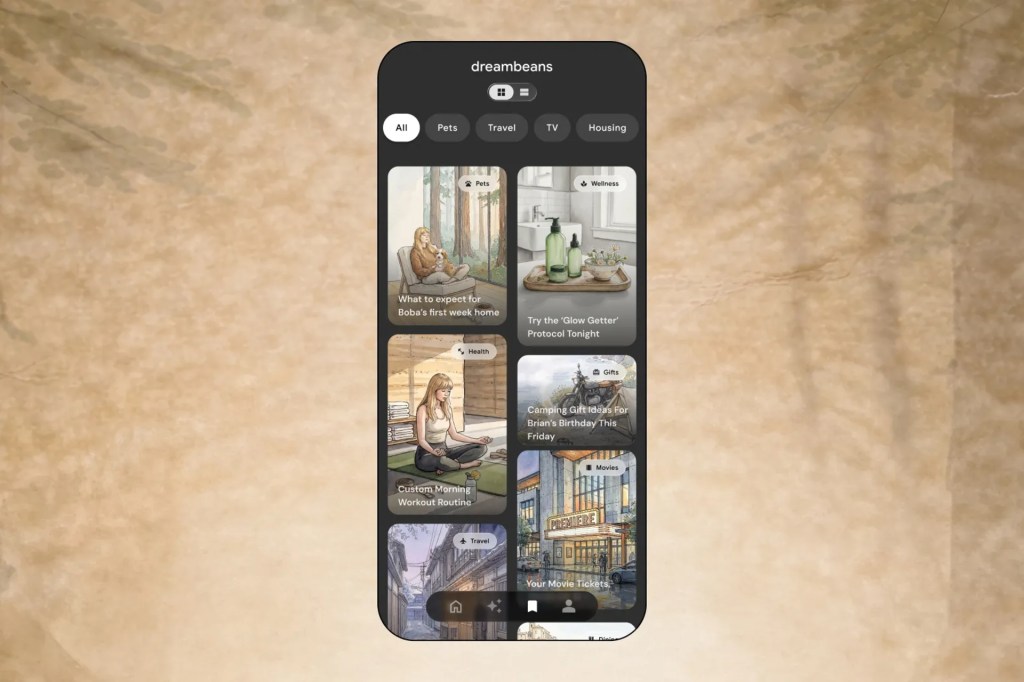
Google’s strangest AI app just picked India as its first home outside the United States. Dreambeans, the experimental app that turns your Gmail, Photos and Calendar into illustrated stories without you typing a single prompt, launched in India on Monday with support for 13 local languages. Here is what Google Dreambeans actually does, what data it reads, and why Google thinks India is ready for it.
What Is Google Dreambeans?
Dreambeans is an experimental AI app from Google, first introduced in June 2026 as a Google Labs project. The idea is simple to describe and unusual to use: instead of you asking an AI chatbot a question, Dreambeans quietly looks at the information you already have in your Google account and writes short, illustrated stories about your interests and everyday life.
It draws on connected Google services, including Calendar, Gemini, Gmail, Photos, Search and YouTube. If your calendar shows a weekend trip, or your photos show a birthday dinner, the app can generate a personalised story around those moments. No prompt needed. The first version produced static AI illustrations, and Google has since added a feature that uses its Veo video generation model to animate images in select stories.
The app is available on both Android and iOS, and it is aimed at users aged 18 and older. After a June debut in limited form, Google opened it to all eligible US users in September 2026, and India is the first international market.
India Launch: 13 Languages and Why India Came First
The India launch brings support for 13 local languages, including Hindi, Punjabi, Tamil, Telugu and Bengali, alongside English. For a country where most users mix languages daily, that is the make-or-break feature, and Google has clearly worked on it.
There is one limitation: you can pick only one language at a time for generated stories. The app can read information across Google services in multiple languages, but it cannot yet produce stories that mix languages, according to Google product manager Gozde Oznur, speaking at a press briefing reported by TechCrunch.
Google chose India as the first international market for two reasons. Indian users had been asking for the app in large numbers, and the country showed unusually high overlap of users across Gemini, Gmail and Google Photos. In other words, the data Dreambeans needs to work well is already sitting in millions of Indian Google accounts.
The timing also matters. With the Diwali season bringing a flood of photos, travel plans and family events, Indian accounts are at their richest right now. Stories generated from a festival week are simply better material than stories generated from a quiet work week.
How Dreambeans Works and What It Knows About You
Behind the friendly illustrations, Dreambeans is a data-hungry product. To generate stories without prompts, it needs permission to read across your Google life. That includes:
- Gmail: bookings, deliveries and plans that reveal what you are doing
- Google Photos: the places, people and events you capture
- Calendar: trips, meetings and occasions
- Search and YouTube: what you look for and watch
- Gemini: your activity with Google’s AI assistant
This is worth thinking about before you install it. The app is designed to be proactive, which means it reads your activity continuously to find story material. If that feels too close for comfort, keep the connected services limited to what you are comfortable sharing. You can also check what Google account permissions the app holds and remove access to individual services from your Google account settings.
That is not a criticism of the product itself. It is just the trade-off: Dreambeans is personal because it is personal.
Dreambeans vs ChatGPT and Meta Muse: The Download Numbers
Early adoption data shows Dreambeans is a niche product compared with the AI giants, and Google seems fine with that.
According to Sensor Tower estimates shared with TechCrunch:
- Dreambeans has recorded nearly 55,000 downloads in the US since its June debut
- About 63% of those came in September, when the app opened to all US users
- October downloads dropped 84% month over month to about 5,500
- In the first 30 days after the US-wide launch, it managed around 29,000 downloads
- Compare that with the first 30 days of Meta’s Muse at 7.4 million, ChatGPT at 2.8 million, Grok Bot at 362,000 and Claude at 155,000
The comparison is not entirely fair to Dreambeans. ChatGPT and Muse are general-purpose assistants that answer anything. Dreambeans does one specific thing: it turns your digital life into stories. The question for India is whether a country of storytellers gives that idea a bigger audience than it found in the US.
How to Try Dreambeans in India
If you want to see what the app makes of your Google account, getting started takes a few minutes.
- Download Dreambeans from the Google Play Store or Apple App Store.
- Sign in with the Google account you use most often. The richer your Photos and Calendar, the better the stories.
- Pick your preferred story language at setup. Remember, one language at a time for now.
- Review which Google services the app can access and adjust the connections to your comfort level.
- Wait. Because the app is proactive, stories appear on their own instead of on demand.
Start with just Photos connected if you want to test the quality before letting it read everything. You can widen access later once you see what it produces.
What the Stories Actually Look Like
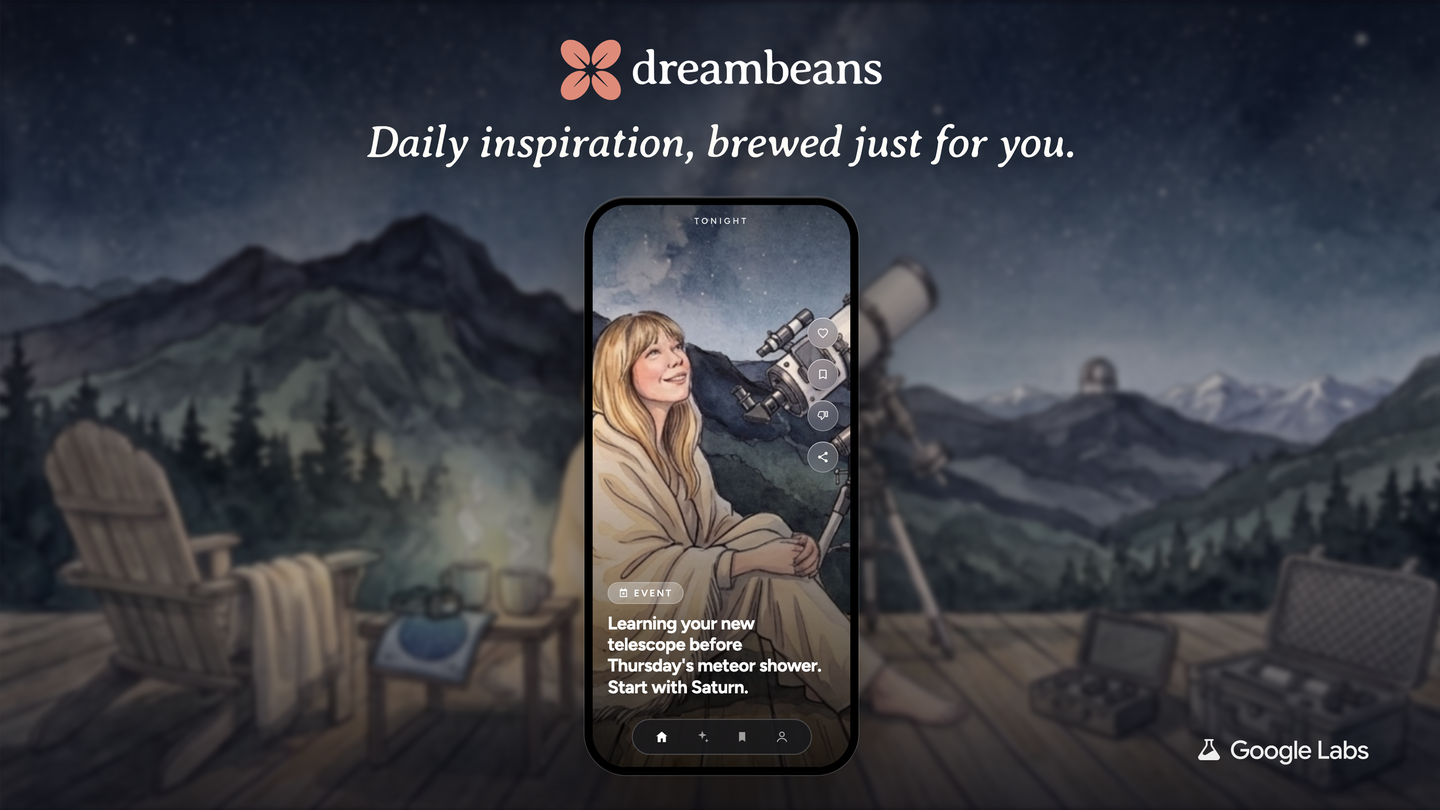
Early versions of Dreambeans produced static AI illustrations, the kind of soft, stylised artwork you see in modern AI image tools. Google has since added a Veo-powered feature that animates images in select stories, turning a still illustration into a short moving scene.
The format is closer to a memory book than a chatbot answer. A story might take your weekend trip photos and calendar notes and build a short illustrated recap around them. Because the app decides when to generate content, the experience feels less like using a tool and more like getting a small surprise in your feed.
That is also the honest limitation. If your Google account is thin, if you do not use Photos or Calendar much, the app has little material to work with and the stories stay generic. The quality is almost entirely a function of how much digital life flows through your Google services.
FAQ
What is the Google Dreambeans app?
Dreambeans is an experimental AI app from Google that generates personalised, illustrated stories from the information in your Google account, such as Gmail, Photos, Calendar, Search and YouTube. It works without prompts and is available on Android and iOS.
Is Dreambeans available in India?
Yes. Google launched Dreambeans in India on 2 November 2026, its first market outside the US. It supports 13 local languages, including Hindi, Punjabi, Tamil, Telugu and Bengali, alongside English.
What data does Dreambeans use to create stories?
It reads information from connected Google services like Calendar, Gemini, Gmail, Photos, Search and YouTube to find story material about your interests and everyday life. You can control which services are connected through your Google account.
Can Dreambeans generate stories in two languages together?
Not yet. Users can select only one language at a time for generated stories, and the app cannot currently mix languages in a single story, according to Google.
