



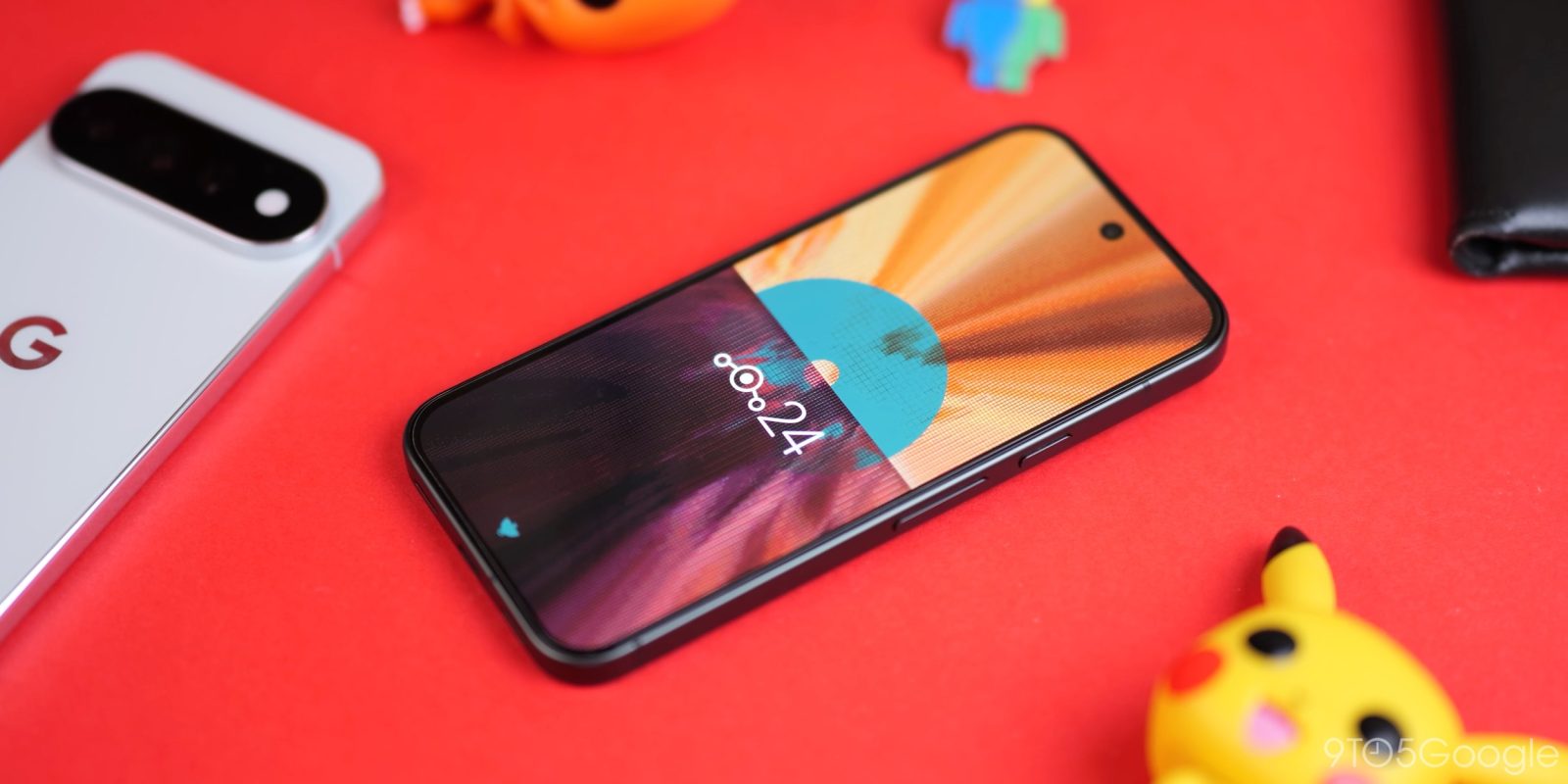
LineageOS 24 is here, built on Android 17, and it changes who should bother flashing a custom ROM. The headline is not a new feature list. It is a browser-based flash tool that makes installation simple enough for anyone with an older phone gathering dust in a drawer. Here is our full review of LineageOS 24, what is new, and whether you should install it.
What Is LineageOS 24
LineageOS is the most popular custom Android ROM in the world. It replaces the software on your phone or tablet with a clean, fast, privacy-friendly version of Android and keeps getting security updates long after the manufacturer stops.
LineageOS 24 launched on 12 October 2026, based on the full Android 17 release. It follows LineageOS 23 and the 23.2 update, which arrived only a few months earlier. LineageOS 23 was praised as the de facto AI-free alternative Android experience, and version 24 keeps that identity while absorbing the interface changes Google shipped to Pixel phones with the QPR1 update in September 2026.
The project supports hundreds of devices, many of them phones whose official update windows closed years ago. The full list lives at wiki.lineageos.org/devices. If your device is on that list, LineageOS 24 can give it a longer life than its maker planned.
The New Online Flash Tool
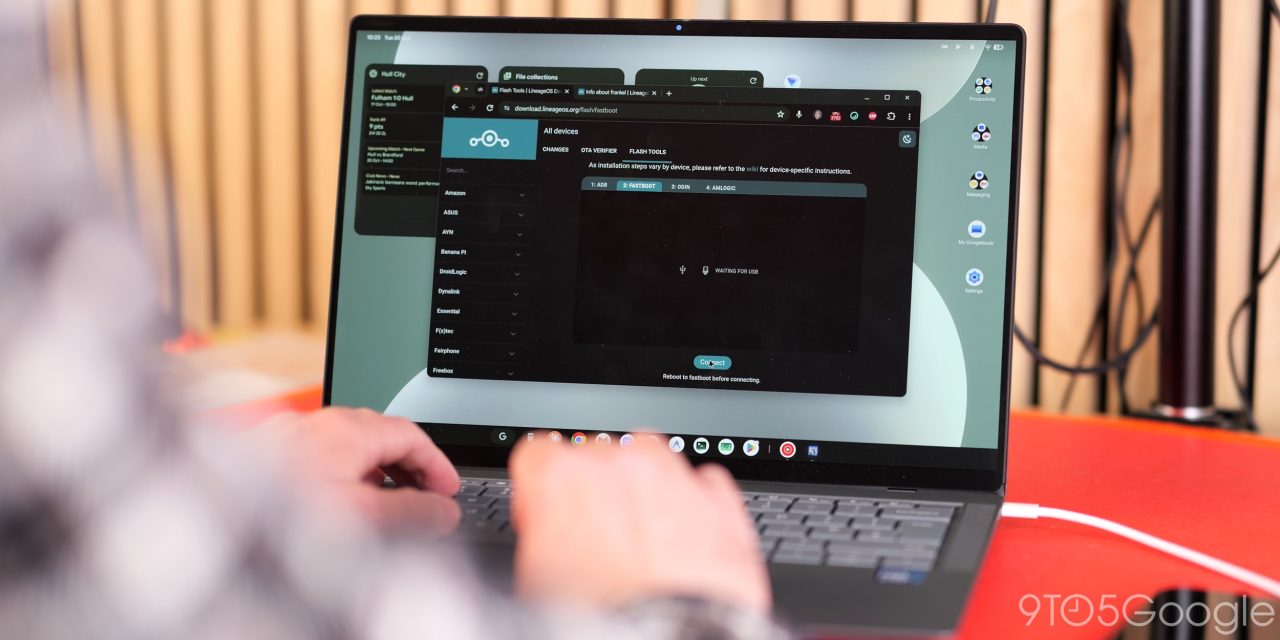
The online flash tool is the biggest upgrade to how you install the Lineage ROM in the history of the project. That is not marketing copy. It is how the installation experience is being described after hands-on testing.
The old process meant downloading image files, unlocking your bootloader, and running fastboot commands in the right order. One wrong step and you were reading forum threads at midnight. The new method lets you do everything in a browser window instead:
- Download the files for your device from the LineageOS site.
- Open the online flash tool in a second browser window.
- Follow the guided process in the correct order.
- LineageOS 24 is running on your device within minutes.
It is still the traditional flashing process underneath, but the tool simplifies it enough that installation is now a realistic option for people who never touched ADB. If you already have LineageOS installed on a phone, upgrading is even easier.
A few things to do before you start. Back up your files. Consider resetting your phone to a clean state before flashing. If you want the Play Store and Play Services, download the MindTheGapps package and flash it alongside the ROM. If you want to de-Google your life, skip GApps entirely and use the open-source app ecosystem instead.
What Is New in LineageOS 24
More Material 3 Expressive and QPR1
LineageOS 24 integrates most of the changes Google added with the QPR1 launch for Pixel phones in September 2026.
- App bubbles are the headline addition. They mimic the pop-up floating chat heads for apps that you can stash on the left or right edge of the display. The same four to five app limitation applies, and the functionality is identical to what Pixel phones offer. This may be limited to the default Lineage launcher.
- Wallpaper and style gains custom icon shapes, plus the option to disable app text labels.
- The lockscreen is still limited to one clock style, but you can now adjust the text thickness to change its look.
- The Expanded Dark theme carries over. Apps without a dedicated dark mode get themed, and apps that support dark mode use darker tones. Results vary per app, so use it with caution.
- Animations and details match the Material 3 Expressive changes from QPR1, including the latest icon updates and Quick Settings panel enhancements, with the trademark LineageOS speed on top.
Improved Apps and Controls
- Setup now includes a system theme picker before you load into the OS.
- The system update page is redesigned to show key information at a glance, making it easier to stay current with updates.
- Canvas, the default gallery app, gains improved editing tools. They are basic but useful: cropping, rotation and markup tools for scribbling on images.
- The Jelly browser now supports PWA-lite apps through the Install shortcut tool. It does not work every time, but it handles services like Instagram and Spotify well, giving you lightweight web-based versions with less tracking and less storage use.
- The new screen recording UI can record HEVC video directly from the floating panel. This option is missing on Pixel phones and produces high-quality video in smaller files.
One long-standing complaint remains. The invisible gesture bar feature still leaves certain UI elements squeezed too close to the bottom edge when enabled. Keep the gesture hint on unless the look bothers you more than the layout does.
No AI Unless You Ask for It
Like previous builds, LineageOS 24 ships with no AI-powered functions unless you install GApps and link a Google account. Circle to Search and Notification Summaries are missing unless you sideload them. For users who want a phone that just makes calls, takes photos and runs apps without a cloud AI layer watching along, this is the point of LineageOS.
LineageOS 24 vs LineageOS 23: What Changed
The jump from LineageOS 23 to 24 is bigger than the version number suggests. LineageOS 23 and its 23.2 update were built on Android 16 and earned a reputation as the AI-free alternative Android experience. LineageOS 24 moves to the full Android 17 base and folds in the QPR1 interface changes that Pixel phones received in September 2026.
The practical differences come down to three things: the installation experience, the interface layer, and the app set. The online flash tool is new in 24. The Material 3 Expressive work, app bubbles and custom icon shapes come from the QPR1 integration. And the improved Canvas gallery editing, Jelly PWA support and HEVC screen recording are app-level upgrades that LineageOS ships on its own schedule, independent of Google.
For anyone on LineageOS 23.2, the upgrade is worth it for the flash tool alone if you manage more than one device. For new users, there has never been a cleaner starting point.
Should You Install LineageOS 24
The value case has changed. Phone prices keep climbing while the phones themselves stay capable for years. Flashing LineageOS 24 on an older device extends its lifespan with security updates and often better performance than the bloated software it shipped with.
- Best candidates: older phones close to the end of their official support windows, secondary devices, and tablets that feel abandoned.
- Skip it if your device is not on the support list, or if you rely on banking apps that refuse to run on unlocked bootloaders. Check your specific bank’s app behaviour first.
- Do the homework once: back up, download MindTheGapps if you need Google apps, and use the new flash tool with a second browser window open for the guide.
Extending the life of a device you already own is one of the few genuinely consumer-friendly moves left in tech. With the online flash tool lowering the barrier, LineageOS 24 is easier than ever to recommend.
FAQ
Is LineageOS 24 based on Android 17?
Yes. LineageOS 24 launched on 12 October 2026 based on the full Android 17 release, with app redesigns and the new simple flash tool.
How do I install LineageOS 24?
Use the new online flash tool from the LineageOS site. Download your device files, open the flash tool in a browser, and follow the guided order. Back up your files first and flash MindTheGapps alongside if you need the Play Store.
Does LineageOS 24 have AI features?
Not by default. AI-powered functions such as Circle to Search and Notification Summaries only appear if you install GApps and link a Google account. Without them, the ROM stays AI-free.
Which phones support LineageOS 24?
Hundreds of devices are supported, including many phones that stopped receiving official updates years ago. Check the full list at wiki.lineageos.org/devices before flashing.
Is LineageOS 24 good for daily use?
Yes, if your device is supported and your banking apps tolerate an unlocked bootloader. The ROM is fast, gets security updates, and the new flash tool makes installation much simpler than before.
