



WhatsApp is a popular messaging app used by millions of people around the world. Now a new function is available in this app that apart from personal chat, you can also create channels on it. With the help of channels, you can deliver your message to thousands of people at the same time. If you also want to create your own Whatsapp Channel, then in this post we will tell you how to create a channel on Whatsapp step by step.
Creating a WhatsApp channel can prove to be a great way to connect with people because if we look at messaging apps, WhatsApp has the highest number of users. In the coming time, WhatsApp Channel can also prove to be a good means of earning money, although right now the WhatsApp Channel Feature is being rolled out and it is not available for everyone but will soon be available for everyone.
Step 1- Open WhatsApp – The first step is to open the WhatsApp app on your mobile phone. Download the WhatsApp app from Google Play Store or App Store or open it if it is already installed on your phone.
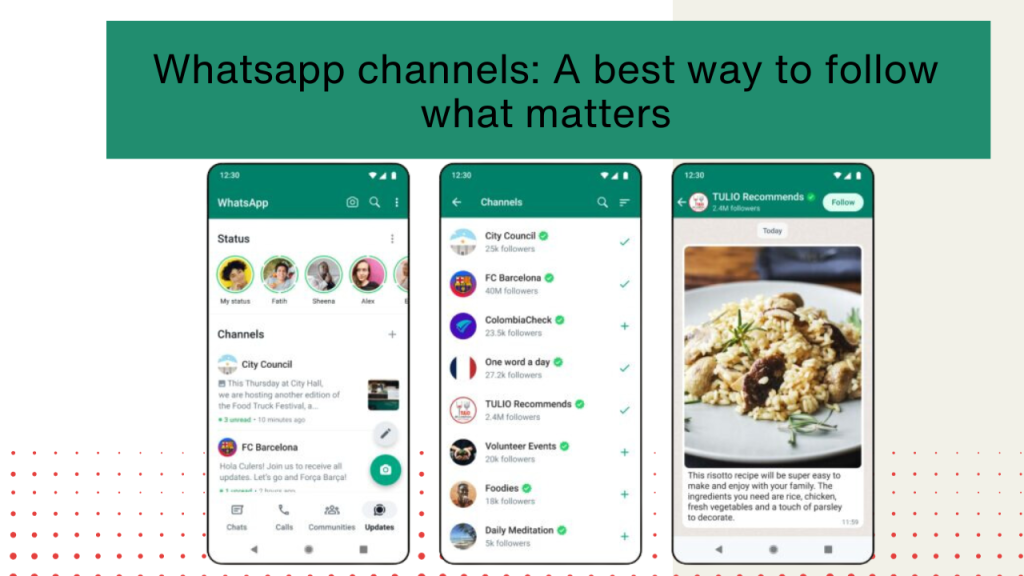
Step 2- Go to the Updates tab. After opening WhatsApp, click on the ‘Updates’ tab from the tabs given below. Here you will get information about all the updates and new features released by WhatsApp.
Step 3- create new channel On the Updates tab, a ‘+’ icon will appear in the top right corner of the screen. Click on it. After this click on ‘New Channel’. A new page will open where you will see the ‘Start’ button. Clicking on it will start the process of creating the channel.
Step 4- Enter Channel Name and Description On the next page, first of all you have to enter the name of your channel. You can also write a short description along with the name of the channel. This description will give information about the channel.
Step 5- Set the privacy of the channel. On the next page you will get the option of privacy settings of the channel. Here you can choose either public or private channel option. Anyone can join a public channel, whereas a private channel requires your permission.
Step 6- Add people to the channel On the next page you can select contacts to include on the channel. Tick the boxes next to the names of people from your contacts list that you want to include on the channel. After this click on the ‘Next’ button below.
Step 7 – Write Channel Profile Photo and Description Now you can add a profile photo and description for your channel. The profile photo will identify the channel and the description will tell people more about the channel and what kind of information they will see on it.
Step 8 – View Channel Preview Now you have completed all the steps of creating a channel. On the last page you can see the preview of the channel. If everything looks correct then click on the ‘Create Channel’ button.
Step 9 – Activate the channel. After creating the channel, WhatsApp will ask you to activate it. To activate the channel, you will be sent a link by clicking on which you can activate the channel.
In this way, a channel can be created on WhatsApp step by step. After creating a channel, you can use it to convey your message, information or updates to a large number of people. WhatsApp channel is a great way to convey your message to people.
Some things should be kept in mind while creating a channel:
- The channel name should be clear and concise so that people can understand it easily.
- The channel description should clearly state its purpose and goals.
- The profile photo should be related to the channel so that people can recognize it.
- The privacy settings of the channel should be taken care of. Have to choose between public or private.
- In the beginning, one should attract people’s attention by posting some good content on the channel.
- Content should be updated regularly so that people remain engaged.
- Feedback should be taken from people through the channel so that the content can be improved.
By keeping these things in mind, you can create a successful and popular channel on WhatsApp. Whatsapp Channel has become a very effective medium nowadays to spread messages. By using it properly, you can convey your message to a large number of people.
