




[ad_1]
Buying a new computer is not an easy task, and in today’s time you would not want to buy a machine which will not be of use to you in a year or two. Therefore, before buying a computer, you must keep some things in mind. Today I am going to tell you similar things.
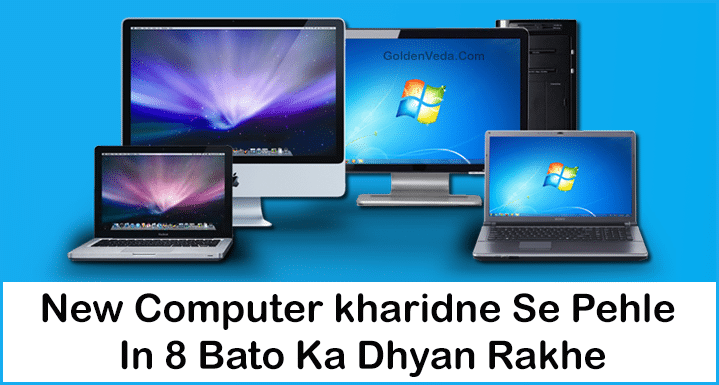
Table of Contents
1. Desktop or Laptop?
This is one of the simple choices, and it will make a big difference in your costs. And also in expenses, which you probably won’t know right now. If both desktop or laptop work the same for you, then I think it is better to take desktop because it is cheaper, although it is bigger in size, but it will not make much difference. But if you have to store many components in small hardware, and have to carry it from one place to another, then laptop is better.
2. Know about the processor of the new computer
Before buying a new computer, definitely check what kind of processor you are buying.
In simple words, the processor is the brain of the computer. If you want a fast computer, which loads programs very quickly, completes tasks very quickly, and does not make you wait, then you should get the strongest processor. And who doesn’t want that? You just have to select the processor after knowing its details well. One of the few good processors is Intel.
- Dual Core – If you want to buy a new computer for general home use then this will be the best option for you.
- i3 Processor – If you want to work at home as well as in office and want to use some high end multimedia software like photoshop, coreldra etc. then this will be best for you.
- i5 Processor –If you want to enjoy gaming at home and want to use high quality games, videos and software, then this option will be the best.
- i7 Processor – This is a best option for professional work.
3. Choose RAM carefully
Before buying a new computer, be sure to know how much RAM you need.
Just as a computer’s processor cores affect its multitasking speed and ability, the amount of Random Access Memory, or RAM, also affects a computer’s multitasking speed and ability. RAM is basically a small, extra-fast form of memory (like L1, L2, or L3 cache, but bigger and slower). It saves your files temporarily.
Nowadays RAM is measured in Gigabytes. By having more RAM, your computer will be able to maintain speed even by storing more files. Although a lot of data can be stored in RAM, it depends on the hard drive for its data.
- 2 GB RAM – Normally use for dual core etc.
- 4 GB RAM – It will be best for medium use, you can use it with I5 and I3.
- 8 GB RAM – Would be a good option for professional use.
4. Choose Hard Dives carefully
The purpose for which you will use your computer can determine the size of your hard drive.
Every computer needs data storage, because whatever is saved in RAM, goes to the hard drive only. If you want to store many things in the computer, then get a hard drive of as many Gigabytes or Terabytes as possible. If you want to keep many applications on your computer, and do not want to keep much media, then use less memory. Get a hard drive and save money. If you want to maintain a fast computer, and you also have sufficient money, then use hard drives or flash hard drives with more memory.
5. Mac OS, Windows, or Linux!
Select the operating system of your computer very carefully. In my opinion, you should use the same operating system which you are used to using. Because it can be difficult to adjust to the new operating system. If you know how to use Linux Operating System, then you do not need to think. You use the same. If you want an easy to use system, try the Mac Operating system. If you want good control over your computer, then Windows is a good option for you. Whichever operating system you know how to run, it is better that you use it, because you will get every software for every operating system.
6. Selection of graphics is also very important
Computer manufacturers always put stickers on their computer screens to indicate which graphic card they have used in that computer, such as AMD and NVIDIA graphics cards. Most of us do not pay attention to it, but it is a crucial thing. You should carefully select the graphic card for gaming and heavy software.
If you want to know more about graphic card then PassMark You can check the site.
7. Oh, are you also fond of Gaming?
If you want to use the computer for gaming, then select your components very carefully. If you want to play the latest games, which are made using high technology, then you should buy a high-performance machine. Modern games also take up a lot of space, so you should also buy a hard drive with more memory. The processing power of these games is also high, hence heavy-hitting processors are necessary.
8. How to buy a new computer?
First of all, computer is a very expensive machine, hence patience is necessary to buy it. Technology changes very quickly. It is possible that a better computer than the one you are buying today may be available tomorrow at a lower price. Therefore, before buying a computer, do research very well and select the best computer as per your need.
If you are buying a computer with old technology, then try to get maximum discount on it.
Bonus Tips – If you can get the new computer assembled (Means every part is made as per your requirement), then get it assembled only, this will make the price cheaper for you and you will also get the computer as per your wish.
Here I have told you the things to keep in mind before buying a new computer. Keeping all these things in mind, you should select a PC or Laptop for yourself.
