



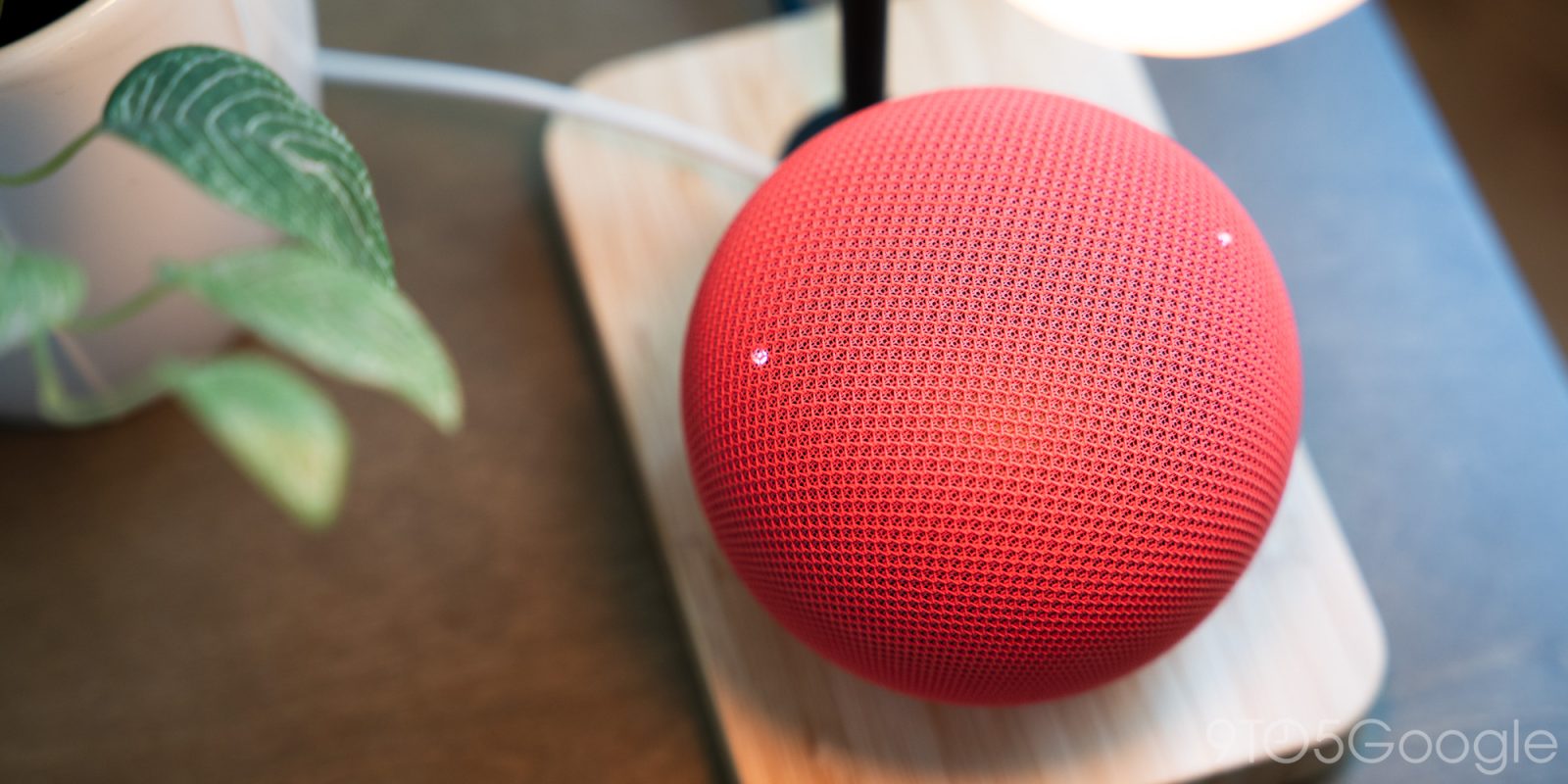
A smart speaker that has not played a song or answered a voice command in a day should use almost no data. One Google Home Speaker did the opposite. It pulled 17 GB from Google’s servers in 24 hours, including 9.99 GB in a single burst at 3 a.m., while sitting completely idle.
Over the past week, multiple Google Home owners have reported the same behaviour, with some seeing hundreds of gigabytes of background downloads. If you are on a capped broadband plan, this is the kind of bug that can burn through your monthly FUP limit overnight. Here is what is happening, how to check your own speaker, and what Google is doing about it.
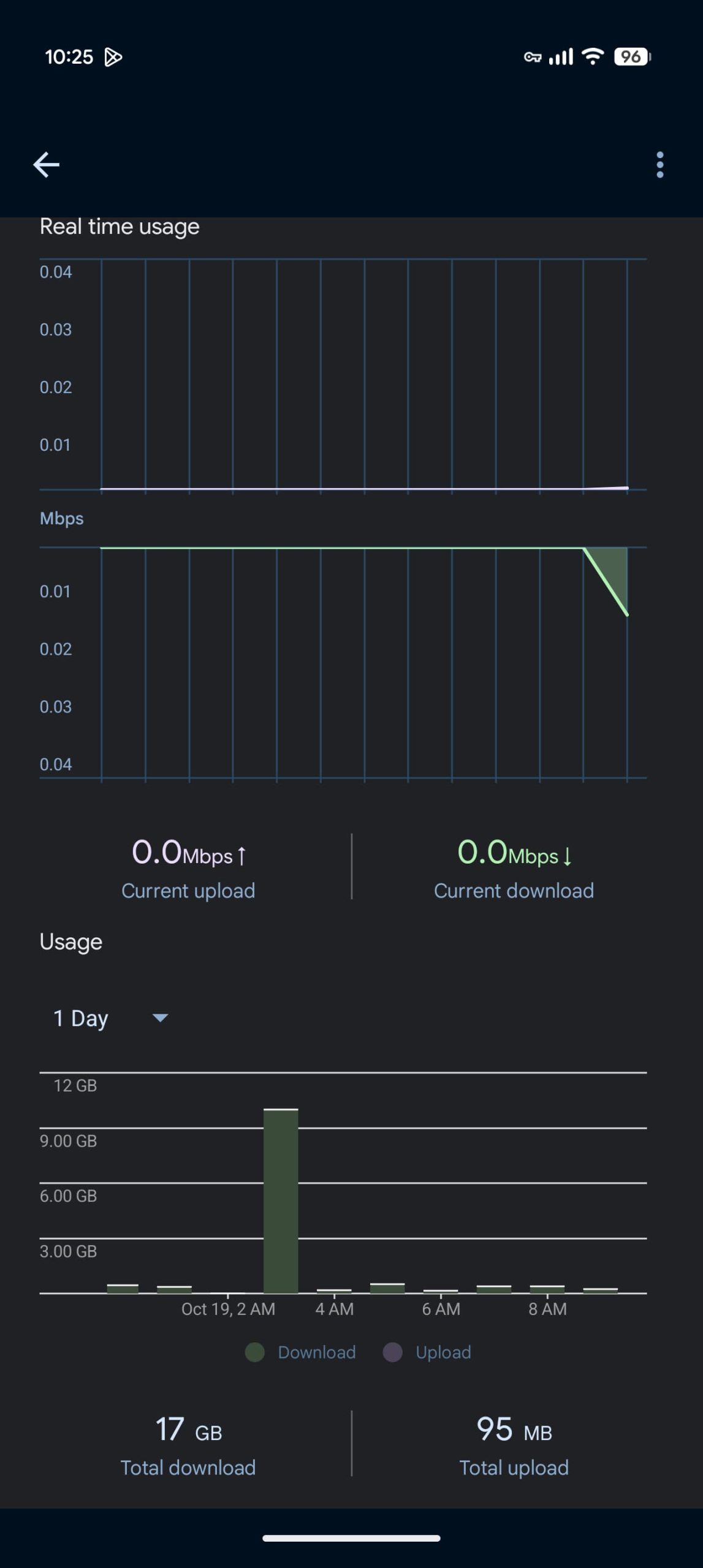
How Much Data the Google Home Speaker Is Downloading
The reports come from owners of the new Google Home Speaker. One affected unit used 41 GB of data on October 13 alone. Over the past 30 days, the same speaker downloaded 132 GB, all while doing no streaming and answering no voice commands.
A few details make the story stranger:
- The biggest download burst happened at 3 a.m. local time, which suggests a scheduled task rather than user activity.
- A second, lightly used Google Home Speaker in a different household downloaded only 2 GB in the past month. The problem hits some units, not all.
- Other Google Home and Nest devices in the same house, including several Nest Hubs, showed no unusual data use at all.
The most likely explanation is a failed firmware update loop. If the speaker repeatedly attempts to download a firmware package and the download never completes or never installs, it can retry again and again. That would explain the 3 a.m. bursts and the sheer volume of traffic.
Why This Matters for Your Home Network
For most Indian broadband plans, 132 GB in a month is a serious chunk of the FUP. Some users in the report threads have already found their data caps breached. Even if your plan is unlimited, the downloads share bandwidth with everything else in the house.
Background traffic at full speed can cause:
- Buffering on streaming devices in the evening when everyone is home.
- Latency spikes during video calls or online gaming.
- Extra electricity use on the router as it works harder for longer.
There is a privacy question too. Several owners raised the obvious worry: is a device that never stops downloading also recording? There is no evidence of hidden audio recording in these reports. The traffic pattern looks like a download loop, not uploads. But the episode is a fair reminder that smart speakers are network devices first, and you should be able to see what they do.
How to Check Your Speaker’s Data Usage
Most routers show per-device usage, and that is the fastest way to spot the problem.
- On Nest Wifi: Open the Google Home app, go to the Wifi tab at the top, tap Devices, and select your speaker. The device usage graphs let you switch between 1-day, 7-day, and 30-day views.
- On other routers: Log in to the router admin page (usually 192.168.0.1 or 192.168.1.1) and look for traffic statistics or device bandwidth usage. Most ISP-provided routers in India have this in the status or bandwidth section.
- Compare devices: A speaker that is more active than your TV or laptop is a red flag. Idle smart speakers should be in the megabytes per month range, not gigabytes.
If you see the same pattern, the numbers tell you how urgent it is. A few gigabytes a month is normal for a speaker with frequent updates. Tens of gigabytes a day is not.
What Google Says
Google has acknowledged the issue. In a statement, the company said a fix is already rolling out that should address the problem for users. The fix is likely a corrected firmware package or an update path change that stops the retry loop.
Until the fix reaches your unit, there is no official switch to disable the background downloads. Keeping the speaker powered on and connected is what lets it receive the fix in the first place.
If the Fix Does Not Reach Your Speaker
The rolling fix should arrive on its own, but a stuck download loop can also block the very update meant to fix it. If your speaker is still pulling gigabytes after a few days, work through these steps.
- Restart the speaker from the Google Home app or by unplugging it for 30 seconds. This clears a stuck session and forces a fresh update check.
- Confirm the device firmware in the Google Home app under device settings. Compare it against the version listed in Google’s community forums to see whether the fix has landed.
- Check for a Google Home app update on your phone as well. App-side bugs can cause the device to retry downloads.
- As a last resort, factory reset the speaker and set it up again. It is annoying, but a clean setup clears corrupted update state, and the device will pull the newest firmware during setup.
- Contact Google support if the traffic continues after a reset. Persistent runaway downloads on a fresh setup are worth a warranty conversation.
Tips: Managing Smart Speaker Data Use
- Restart the speaker once if you spot runaway downloads. A reboot clears a stuck download session and forces a fresh check for updates.
- Keep the speaker on the 2.4 GHz band if your router separates bands. It does not need the speed of 5 GHz or 6 GHz, and freeing those bands helps streaming devices.
- Set usage alerts on your router. Most routers can warn you when a device crosses a threshold, which catches bugs like this within hours instead of at bill time.
- Review the device list on your router monthly. Old devices, forgotten gadgets, and misbehaving smart home gear all show up there.
- If your plan has a hard cap, put smart home devices on a guest network with bandwidth limits. Your main network stays clean and the worst case is bounded.
FAQ
Why is my Google Home Speaker downloading so much data?
The current reports point to a failed firmware download loop on some new Google Home Speaker units. The speaker retries the download repeatedly, which produces large background traffic, often overnight.
Is the Google Home Speaker recording me when it downloads data?
The traffic in these reports is inbound downloads, not uploads, which fits an update loop rather than recording. Smart speakers only upload audio after the wake word, and unusual upload traffic would show up in your router stats as well.
How much data should a Google Home Speaker use?
In normal use, a smart speaker uses megabytes per month: small firmware updates, voice request processing, and streaming metadata. Anything beyond a few gigabytes a month with no streaming deserves a look.
Is Google fixing the problem?
Yes. Google says a fix is already rolling out to affected users. Keep the speaker powered and connected so it receives the update, and monitor your router usage until the numbers return to normal.
