



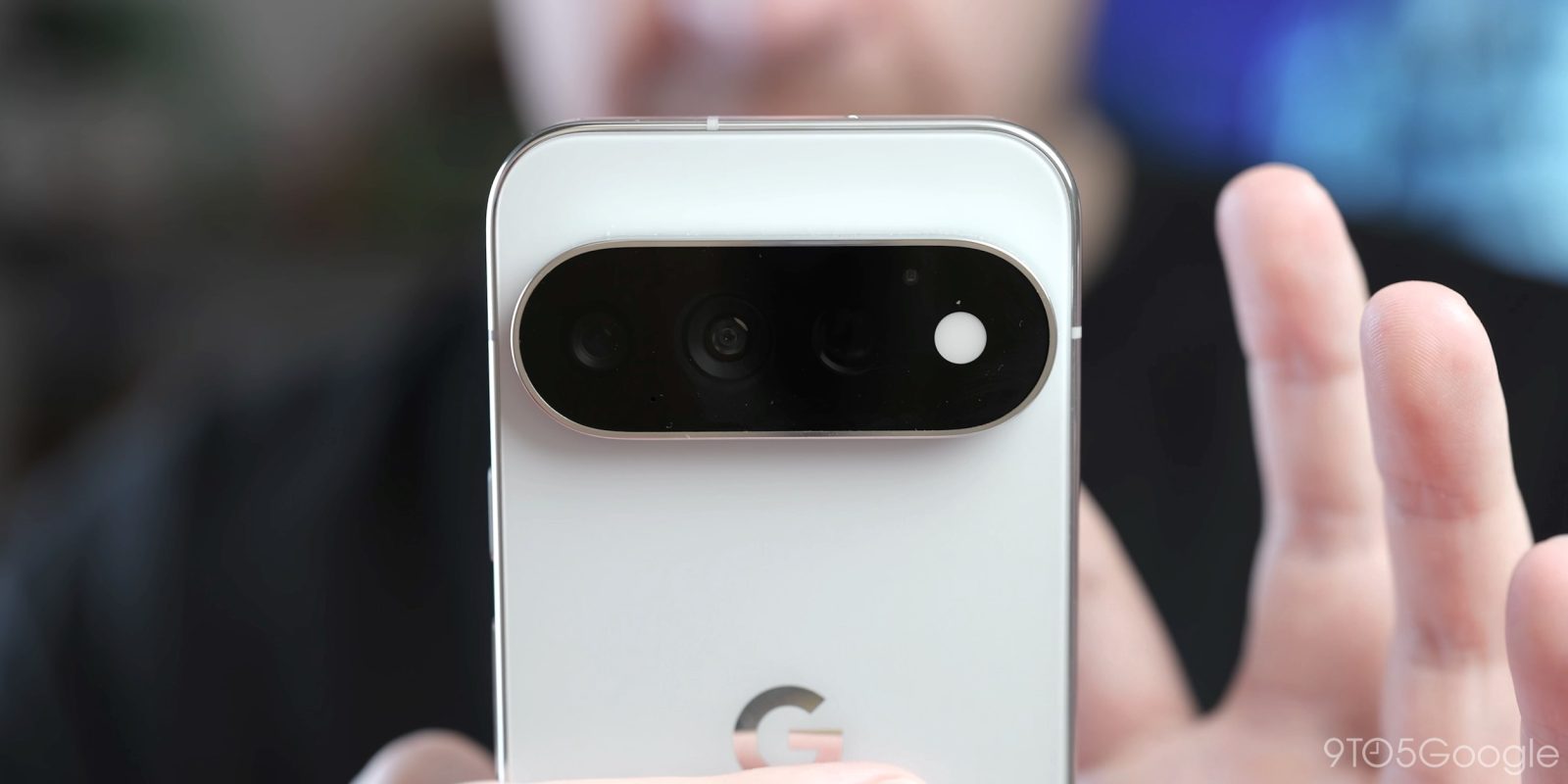
Google is quietly turning the Settings app into the family dashboard Pixel owners have been asking for. A new “Family” section is rolling out to Pixel phones right now, giving you one place to see family members, shared storage, shared payments, calendar events and even live locations. It first appeared earlier this month and is now showing up on multiple devices. Here is what Google Pixel Family Hub does and how to set it up.
What the Google Pixel Family Hub Is
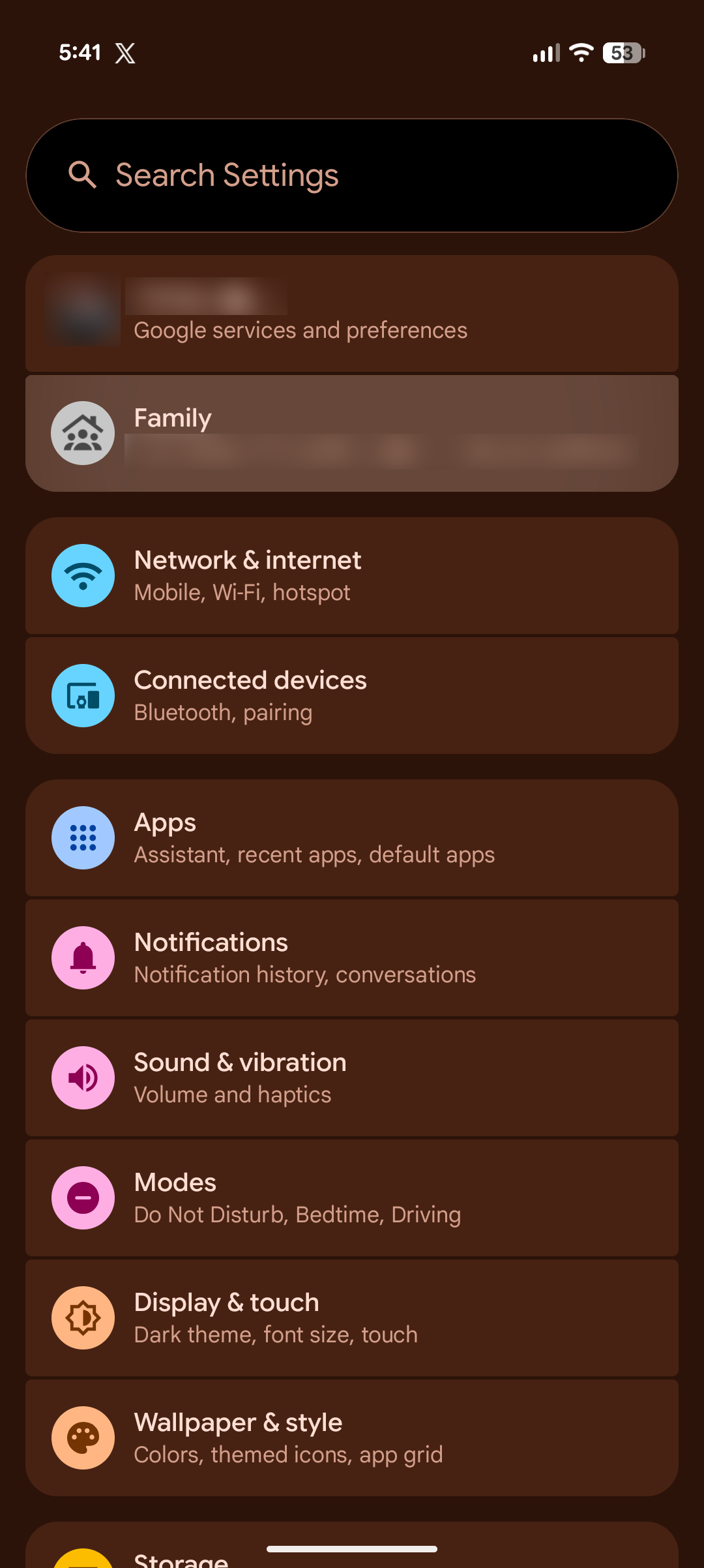
Family Hub is a new section inside the Settings app on Pixel phones. Google has referred to the feature by that name before, and the interface lands as a “Family” entry in Settings. It pulls together everything tied to your family group: child accounts, anyone attached to your Google One family plan, and the shared services that come with them.
Think of it as the missing front door for Google’s family features. Until now, managing family storage, shared purchases and location sharing meant jumping between the Google One app, Play Store settings, Google Calendar and Google Maps. Family Hub puts the controls in one screen.
Which Phones Are Getting It
The rollout is happening through what looks like a server-side update tied to Google Play Services, so it does not depend on a system update. 9to5Google saw it on a Pixel 11 Pro XL running the October 2026 update (not Android 17 QPR2), and a Pixel 10 Pro surfaced the new UI at the same time. Readers reported seeing it before installing any update, and Droid-Life confirmed the same on their Pixels. As far as can be told, the feature is now widely rolled out to Pixel owners.
That means if you use a recent Pixel, it is worth opening Settings and looking. If it is not there yet, it should arrive without any action from you.
What Family Hub Shows and Controls
Once it appears, the section covers a wide range of family management tasks:
- Family member list. See child accounts and everyone attached to your Google One family plan in one place.
- Google One storage. Check and manage the shared storage plan your family uses.
- Google Play Family Library. Get quick access to shared purchases across the family.
- Shared payment methods. Manage the cards the family uses for purchases.
- Family events in Google Calendar. See shared calendar events without leaving Settings.
- Live location. View the live location of family members who share theirs with you, or start sharing your own with someone in the family.
- Add or remove members. Manage your family plan membership from the same screen.
Each family member also gets their own page. From there you can see the benefits they share, their location if they are sharing it, and whether they hold the “parent” role in the family. Parent management includes remove and transfer options, which is useful when handing control to another adult.
How to Use Family Hub
- Open Settings on your Pixel phone.
- Tap the Family section near the top of the list.
- Review your family members. You will see child accounts and Google One family plan members listed together.
- Tap a member for their detail page with shared benefits, location and role.
- Use the quick controls for storage, Play Family Library, payments and family calendar events.
- Manage location sharing by tapping a member and choosing to view their live location or share yours.
- Adjust membership with the add and remove options if your family group needs to change.
What Users Are Saying
Not everyone is thrilled. The top comment on the original report points out that the Family section sits at the top of Settings doing nothing useful for people who do not have a family group set up. “I’ve had it for a few weeks, and while it’s surely something useful for those with a family setup, it’s IMHO a major annoyance for those who don’t,” the user wrote, asking why it could not show only for people in a family. The section pushes other Settings options further down the list.
For households at the centre of a Google One family plan, though, the reception is warmer. The shortcuts save real time, and having live location, storage and payments in one place beats hunting through separate apps.
How Family Hub Compares With the Old Setup
Before this rollout, managing a Google family group meant a tour of four different apps. Storage limits lived in the Google One app. Shared purchases were buried in Play Store account settings. Payment methods sat in the payments screen. Family events required opening Calendar, and location checks required opening Maps. Each piece worked, but none of them talked to the others.
Family Hub does not add new capabilities so much as it collects the existing ones. The Google One storage control, Play Family Library and shared payment methods are the same settings you could reach before, now surfaced on one screen with the family member list beside them. That matters most during the moments families actually manage: a child account needs a payment method, storage fills up, or a parent role needs to move to another adult. Those used to be multi-app chores.
The live location tie-in is the clearest win. Seeing who in your family is sharing their location, and toggling your own sharing for a specific person, is faster here than managing it through Google Maps location sharing menus.
The placement in Settings also changes who ends up managing the family. When the controls lived in four separate apps, the person who set up the group was usually the only one who used them. With the section sitting near the top of Settings, any adult in the household can see the same screen and handle routine changes without hunting through apps they never open.
Tips for Getting the Most From It
- Check your Google One plan first. Most of the shared controls assume your family group is set up through Google One, so get that in order before digging into Family Hub.
- Set location sharing deliberately. Family Hub surfaces live location for anyone sharing with you. Make sure you know who can see yours.
- Use member pages for parent transfers. Handing the parent role to another adult is easier here than through the old account screens.
- Pin what matters. If the top-of-Settings placement bothers you, ignore the section and jump straight into the individual controls you need.
- Keep Play Services updated. Since the feature ships through Google Play Services, that is the component to keep current.
- Review who sees your location. Open the location card once a month and remove anyone who no longer needs it.
What is Google Pixel Family Hub?
Family Hub is a new Family section in the Pixel Settings app that gathers family members, shared Google One storage, Google Play Family Library, shared payment methods, Google Calendar family events and live location controls in one place.
Which Pixel phones support Family Hub?
It is rolling out widely to Pixel phones as a server-side update through Google Play Services. It has been seen on the Pixel 11 Pro XL running the October 2026 update and on the Pixel 10 Pro, and readers report it appearing without any system update.
How do I find Family Hub on my Pixel?
Open Settings and look for the Family section near the top of the list. If it is not there yet, it should appear automatically since the rollout happens through Google Play Services rather than an OS update.
Can I manage Google One storage and payments from Family Hub?
Yes. The section gives quick access to Google One storage, Google Play Family Library and shared payment methods, plus family members’ individual pages where you can manage shared benefits and parent roles.
