



Microsoft has confirmed that the September 2026 preview update for Windows 11, KB5124010, can crash games and applications that rely on AC-3 (Dolby Digital) audio decoding. In some cases the app fails to launch or closes without warning; in others it works normally until something plays audio, such as music inside a game. Microsoft acknowledged the problem on its Windows release health dashboard and says a fix is being worked on.
It is a repeat pattern for Windows 11 audio. Only last month Microsoft shipped emergency updates for USB audio problems caused by the September security updates, and audio breakage has appeared in several recent preview releases.
Which apps are affected
According to Microsoft, affected applications can include games, media players and certain productivity tools that use the legacy Windows audio decoding component. Many modern apps bundle their own AC-3 decoders or do not use Windows for this type of decoding at all, so they are not affected. The safest assumption is that older titles and legacy software carry the highest risk.
How to avoid the problem
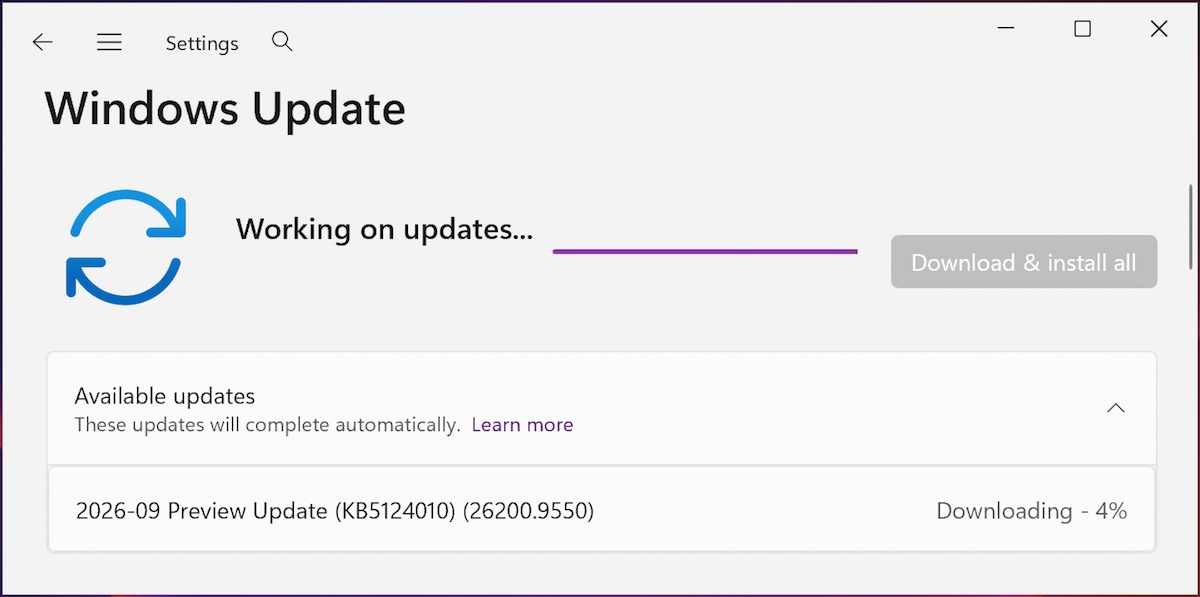
KB5124010 is an optional preview update, so most users only install it after clicking “Download and install” in Windows Update. The exception is Windows 11 24H2 devices with the “Get the latest updates as soon as they’re available” toggle switched on, where it installs automatically. If your games started crashing after late September, open Settings, go to Windows Update, then Update history, and uninstall KB5124010 from the list. Microsoft has not shared a timeline for the fix yet.
What else is in KB5124010
The same update is the reason many people installed it in the first place. It carries 46 changes, including support for Emoji 17.0, an “Open apps maximized” accessibility option, gesture controls for precision touchpads and a Camera roll backup feature that saves photos to OneDrive with phone setup via QR code. Bluetooth reliability gets several fixes, including a crash with error code 0x139 while streaming audio, and the Copilot key can now be remapped to work as Right Ctrl or the Context Menu key. Microsoft also removed the old PC-to-PC Migration tool in favour of Windows Backup.
The update moves 24H2 systems to build 26100.9550 and 25H2 systems to 26200.9550. Users who have not installed it face no risk from this particular bug.
FAQ
How do I know if KB5124010 is installed?
Open Settings, go to Windows Update and then Update history. Preview updates appear in the update history list with the KB number shown against the date of installation.
Can I uninstall KB5124010?
Yes. From Update history, select Uninstall updates, pick KB5124010 and restart the PC. Your files are not affected by removing a preview update.
Which games are crashing because of this update?
Microsoft has not named specific titles. Games and apps that use AC-3 or Dolby Digital decoding through Windows components are the ones at risk.
When will Microsoft fix the audio crashes?
There is no date yet. Microsoft says it is working on a resolution and will share more information in a future update.
