



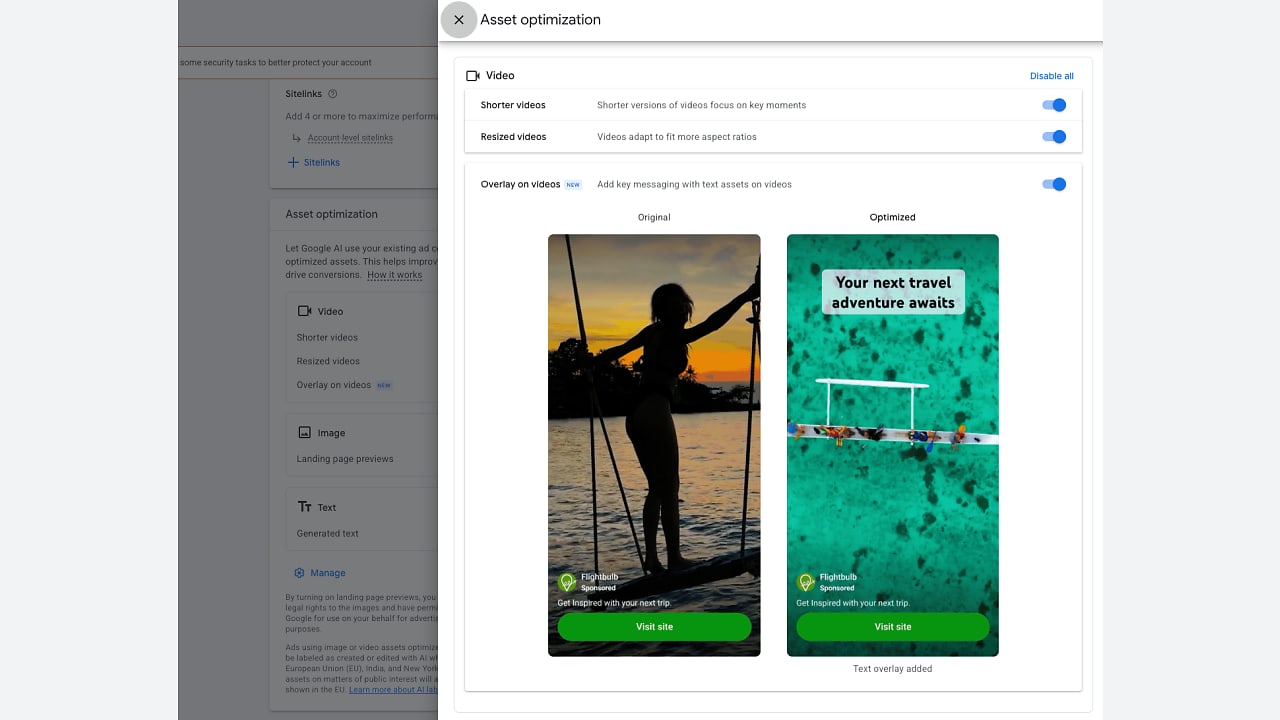
Google Ads has quietly added a new “Overlay on videos” option inside Demand Gen campaigns. The setting lets Google automatically place text messaging on top of your video creatives, and early reports say it is turned on by default. If you run Demand Gen ads in India, you should check your account before your next campaign goes live.
What the new Overlay on videos setting does
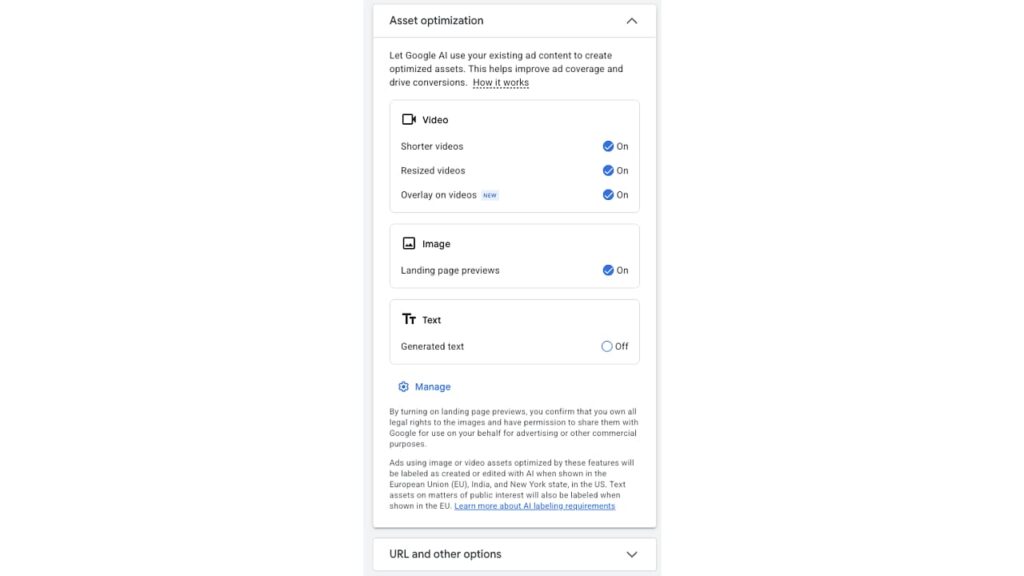
The option appears under Asset optimization in Demand Gen campaigns, right next to the existing “Shorter videos” and “Resized videos” features. When it is enabled, Google takes the text assets you have already provided in the campaign, headlines and descriptions, and generates short text overlays that sit on top of your video ads. The idea is to reinforce product benefits, offers, and calls to action, especially for viewers who watch with the sound off.
The catch is that the setting seems to be enabled by default. That means Google can start adding text to your videos without any action from you. The change was first spotted by PPC News Feed, and advertisers began noticing it in their accounts this week.
How to keep control of your video creative
Google is giving advertisers a way out. You can switch off “Overlay on videos” on its own, or hit “Disable all” to turn off every video optimization feature in the campaign. If your videos already carry burned-in subtitles, lower thirds, or price tags, an automatic overlay on top can create a messy look and hide important visuals.
There is also a labelling point to note. Google says ads that use image or video assets modified by these optimization features get a “created or edited with AI” label when they are served in the European Union, India, and New York state. So Indian advertisers will see this label on modified creatives, and it is worth deciding in advance whether that works for your brand.
Why Indian advertisers should care
Demand Gen campaigns are widely used by Indian ecommerce brands and app marketers for reach across YouTube, Discover, and Gmail. Automatic overlays could help small teams that do not have a video editing pipeline, since the text is pulled from assets they already wrote. But for brands with strict creative guidelines, a machine placing text on a product video is a risk.
The practical move is simple. Open your Demand Gen campaigns this week, review the Asset optimization panel, and decide per campaign whether the overlay helps or hurts. Test it on one campaign first and compare click-through rates before letting it run everywhere.
FAQ
What is the Overlay on videos setting in Google Ads?
It is a new asset optimization option for Demand Gen campaigns. When enabled, Google uses your existing text assets to generate short text overlays that appear on top of your video ads.
Is Overlay on videos enabled by default?
Yes, according to reports from advertisers who spotted the feature. Google appears to have switched it on by default, so you need to review your settings if you want full control over your video creative.
How do I turn off text overlays on Demand Gen video ads?
Go to the Asset optimization section of your Demand Gen campaign and switch off “Overlay on videos” individually, or select “Disable all” to turn off all video optimization features at once.
Will Google label AI modified video ads in India?
Yes. Google has confirmed that ads using assets modified by these optimization features carry a “created or edited with AI” label in the European Union, India, and New York state.
Do automatic text overlays improve video ad performance?
They can help viewers who watch without sound, since the overlay repeats key messages and calls to action. But results vary, and overlays can clash with existing video design, so testing on a single campaign before scaling up is the safer approach.
