



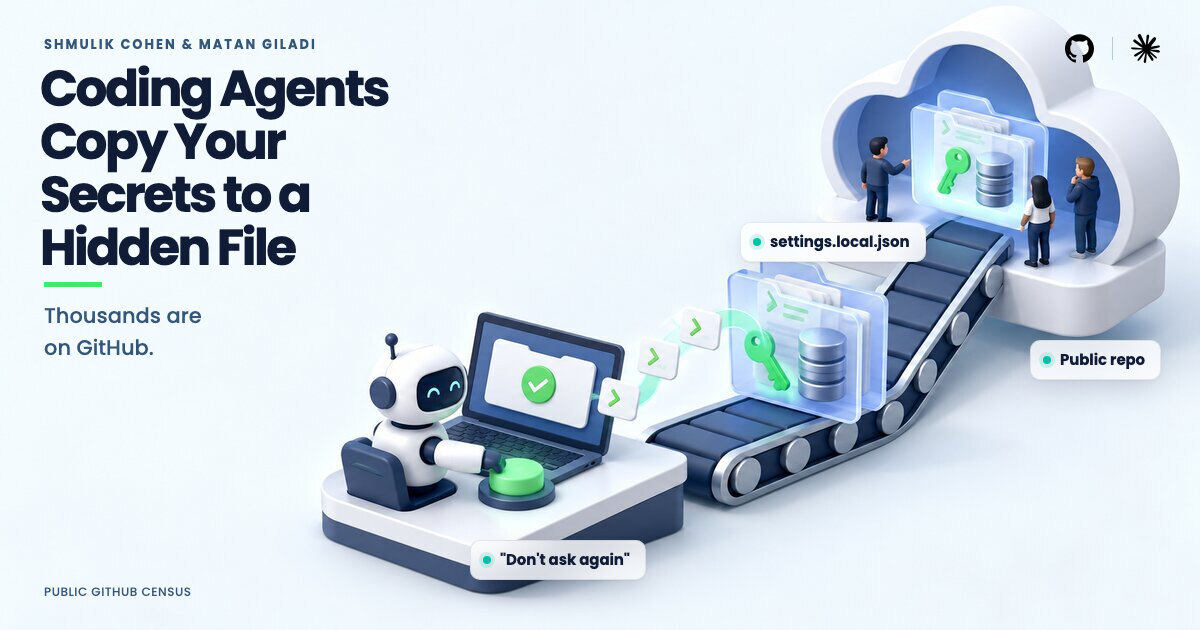
Ask Claude Code to run a database command, approve it with “Yes, and don’t ask again”, and the agent quietly writes the full command, password included, into a plain text file inside your project. That file then travels with your code. Security researchers at Apiiro went looking for it on GitHub and found 2,539 real secrets sitting in 1,994 public repositories: database passwords, cloud keys, API tokens, even SSH root logins. Here is how the leak happens, how to check whether your organisation is affected, and how to lock it down.
How a Password Ends Up in a Settings File
Developer machines are full of secrets. A database connection string in a config file, cloud keys in a local installation, an API token in an environment file. When you ask Claude Code to check why login fails on staging or to run a migration, the command it proposes carries that secret, because the command cannot work without it.
Claude Code asks for permission before running shell commands. Pick “Yes, and don’t ask again” and two things happen: the command runs, and the permission rule is saved to .claude/settings.local.json in the project folder so the agent never asks again. The saved rule is the command string itself, secret included.
The file is meant to stay on your machine. Claude Code adds it to your global git ignore list, which covers the common case. It does not cover a folder that becomes a repository later, a clone on another machine, or a file that was already committed. Nothing is added to the project’s own .gitignore, so no protection travels with the code.
Often the agent commits the file itself. Apiiro traced 539 repositories, out of 1,105 with a real secret, where a commit co-authored by Claude changed the file. Those commits name models from Sonnet 4.5 to Opus 5.5. This is Claude Code’s own behaviour, not a model quirk, and the researchers reproduced it with the latest models.
What Apiiro Found on GitHub
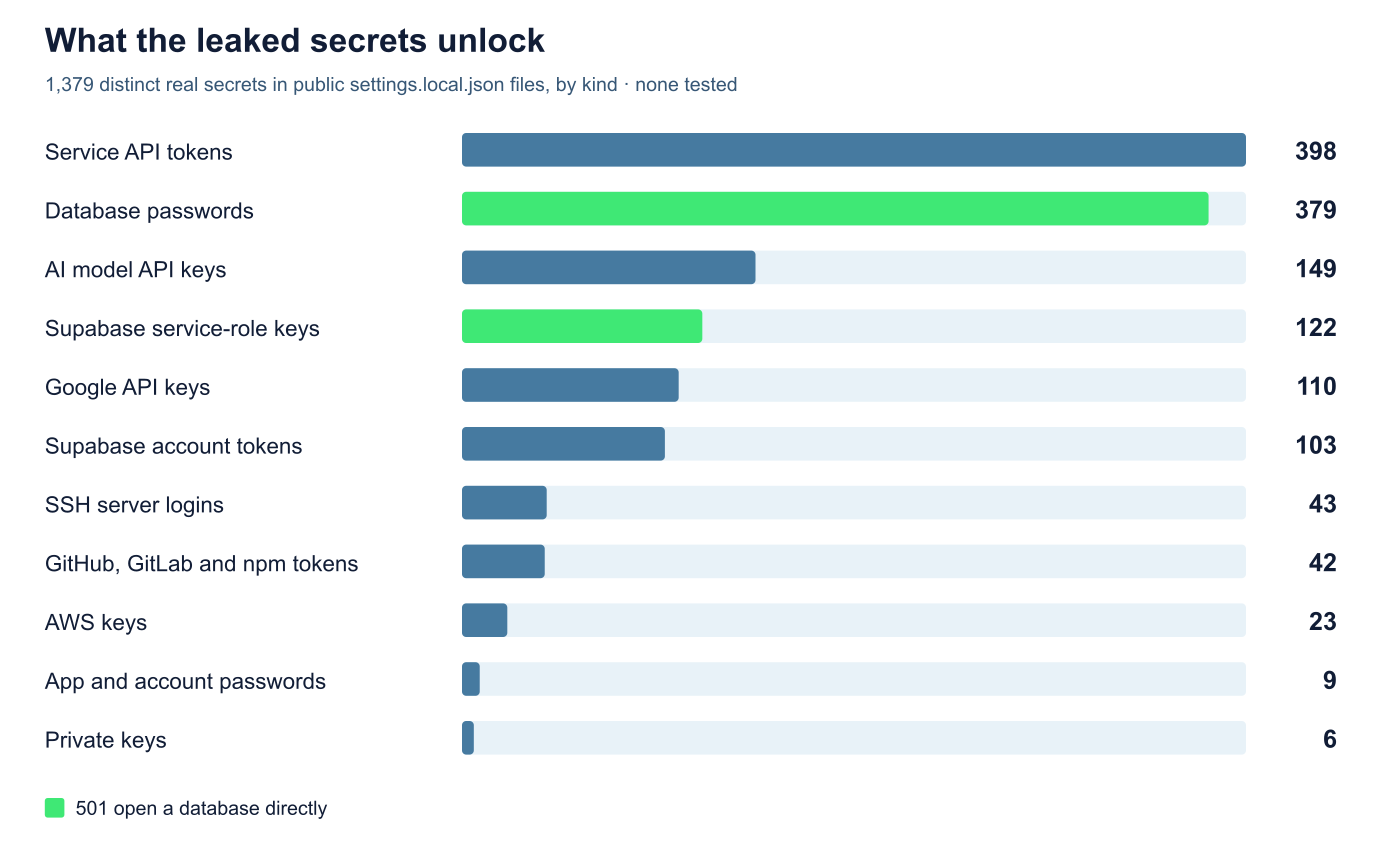
Public GitHub holds 104,185 copies of .claude/settings.local.json spread across 103,617 repositories. Of those, 1,122 files hold a real secret, together exposing 1,379 distinct credentials: 636 provider keys and 743 passwords or tokens tied to public hosts.
- 379 database passwords and 122 Supabase service-role keys, which open a database directly
- 103 Supabase account tokens, which control every project in the account
- 43 SSH logins for public servers, some with root passwords sitting inside
sshpasscommands - 42 GitHub, GitLab and npm tokens, 23 AWS keys and 6 private keys
- A long tail of API tokens for third-party services and AI models
The strongest confirmed cases read like a worst-case list. A database vendor exposed its own cloud API key with manage-level access and no expiry claim. A B2B startup leaked a production Azure Postgres password. A software agency leaked a Square production access token. An open-source project with over 1,000 stars leaked an OpenAI-format API key. An IT services firm leaked the owner password for a medical-records application database. In total, 63 organisations hold a real secret in a public allowlist, mostly software companies of every size.
The files are not new drops either. Every one sat on its repository’s default branch on 2 November 2026, and in the median affected repository the file was first committed 217 days earlier. Forks copy them: 211 forks of 74 repositories carry the same secrets. Deleting the file today does not clean history, where Apiiro found another 734 real secrets in 509 repositories.
Why Your Secret Scanner Probably Misses This
Apiiro ran gitleaks and TruffleHog over all 104,185 files. Of the 1,122 files holding a real secret, gitleaks flagged 564 and TruffleHog 643. A total of 215 were flagged by neither tool.
The gap is passwords typed inside commands. Scanners look for key formats: a provider prefix, a long random string. A password after PGPASSWORD=, sshpass -p or mysql -p, or a bearer header in a curl call, is just an ordinary word in an ordinary command line, and both tools mostly let it through. One in five of the affected files slipped past both scanners for exactly this reason.
File size is the giveaway. About one in ten allowlist files larger than 8KB holds a real secret, against fewer than one in 500 files under 500 bytes. The longer a developer has been clicking “don’t ask again”, the more the file collects.
How to Check Whether You Are Affected
- Search your GitHub organisation for
.claude/settings.local.jsonand.claude/settings.json. Every hit in a public repo is readable by anyone right now. - Check git history. Look for the file in each repository’s history even if it is gone today. If history has it, so does every fork and clone.
- Read the allow lists. Find every copy of the file on your machines and open it. Each entry is a command that was approved with whatever was typed into it. Look for passwords, tokens, keys and connection strings.
- Check the other files too. Shared
.claude/settings.json(298 of 76,011 files checked had secrets), agent chat transcripts such as SpecStory and Cursor exports (120 files), and agent memory files such as MEMORY.md all carry the same risk. - Found something? Rotate first, clean up second. A leaked key is live until you revoke it. Only after rotation should you rewrite history and delete copies.
How to Stop AI Coding Agents Leaking Secrets
- Never approve commands with inline secrets. Use environment variables or a secrets manager so the stored command line holds a variable name, not the value.
- Add the file to the project .gitignore. The global ignore does not travel with the repository. Commit a
.gitignoreentry for.claude/settings.local.jsonand the shared settings file. - Scan for passwords in commands, not just keys. Add rules for
PGPASSWORD=,sshpass,mysql -p, curl bearer headers and connection strings to your pre-commit checks. - Audit large allowlist files. Any
settings.local.jsonover 8KB deserves a manual read. - Prefer short-lived credentials. Tokens that expire in hours hurt far less when they leak than keys with no expiry claim.
- Treat agent transcripts as code. Chat exports and memory files are committed too, and they record commands the same way.
FAQ
What is .claude/settings.local.json?
It is the file where Claude Code stores permission rules when you approve a command with “don’t ask again”. Each rule is the full command string, so any password typed into an approved command is saved there in plain text.
How do I check if my repo leaked Claude Code secrets?
Search your GitHub organisation for .claude/settings.local.json and .claude/settings.json, then check each repository’s git history for deleted copies. Apiiro found 1,122 public files with real secrets out of 104,185, so any hit deserves a manual look.
Why do gitleaks and TruffleHog miss these secrets?
Both tools are tuned to recognise key formats such as provider prefixes and long random strings. Passwords typed inside commands, like PGPASSWORD=secret or sshpass -p, look like ordinary text, and 215 of the affected files were flagged by neither scanner.
How do I stop AI coding agents from saving secrets?
Approve commands that reference environment variables instead of raw values, add the settings files to your project .gitignore, run pre-commit scans that flag passwords inside commands, and rotate any credential that has already been committed.
