




What is CSS? (What is CSS in Hindi)
CSS, called Cascading Style Sheets, was proposed by Håkon Wium Lie in October 1994. Håkon Wium Lie and Bert Bos, presented this concept in a paper titled “Cascading HTML Style Sheets” at the World Wide Web Conference in Chicago. This marked the beginning of the development of CSS as a styling language for the web.
Do you know?
In December 1996, the World Wide Web Consortium (W3C) published the CSS1 Directory. This first version of CSS1 introduced basic features and syntax for applying styles to HTML documents. This allowed web designers to separate the structure and content of web pages from their presentation.
CSS2 was published in May 1998 and made significant improvements to CSS. CSS2 added more robustness to positioning, floating elements. It provided maximum flexibility and power to web designers and expanded the possibilities of web design.
Over time, CSS continued to evolve and new versions were proposed. CSS3, development of which began in 1999, brought a wide range of new features, including advanced selectors, gradients, and media queries for animations.
 With modularization with CSS3, individual modules could be developed and implemented independently.
Currently, CSS is an integral part of web development, which facilitates controlling the visual aspects of web pages. The latest version of CSS, CSS3, is widely supported by modern browsers and its features provide new creativity, interactivity, and responsiveness in the latest web designs.
Understand CSS (What is CSS)
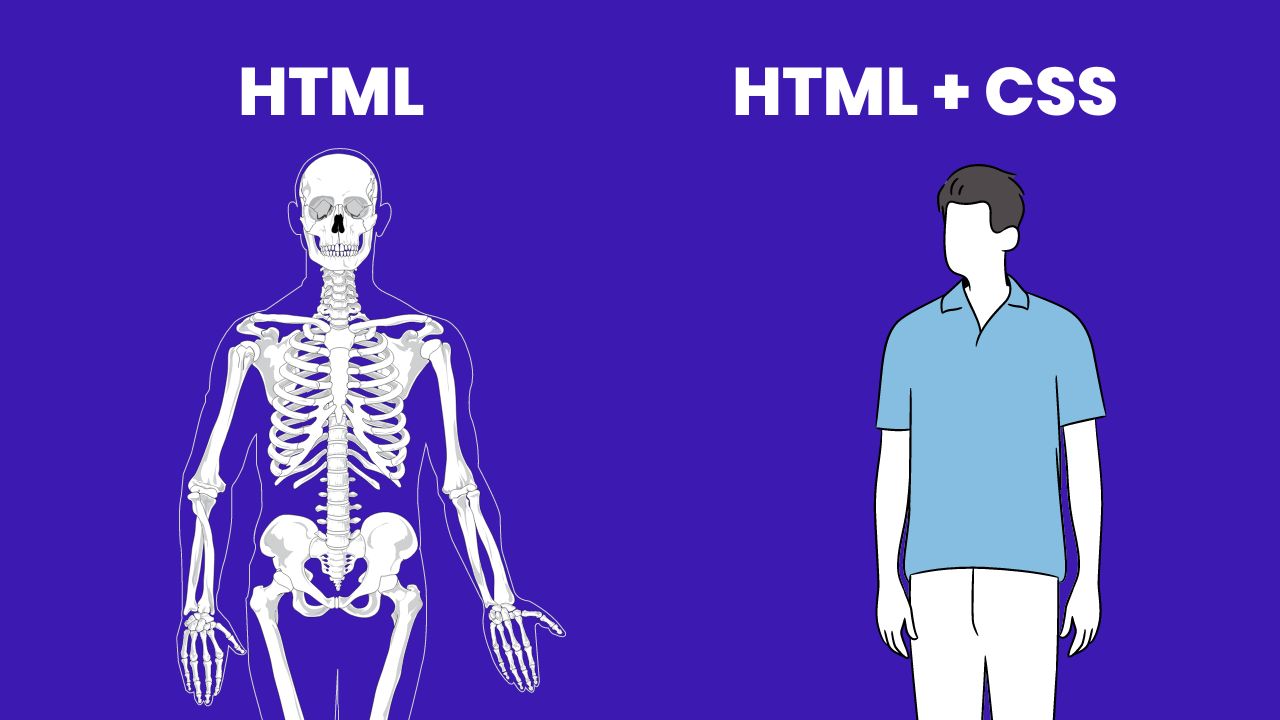
You can understand CSS better from the picture given below, if any webpage is made only with HTML then it will be like a skeleton, and with CSS you can give it a complete form.
Features of CSS
- CSS helps in making the website beautiful and attractive.
- CSS can increase page loading speed and improve the user experience.
- This avoids reusing page elements and simplifies editing.
- CSS helps to apply features like shaders, gradients, transitions, and animations to a web page.
- CSS is used for web designing.
- This language controls styles (text color, font style, column size layout, background color, and images).
- This language controls HTML documents.
- It helps in understanding languages like JavaScript and PHP.
- It is a simple language which is easy to learn and understand.
- CSS is able to adjust the page to different screen sizes and user preferences.
- CSS has the option of supporting devices with Responsive Design, which displays the page correctly on different sizes and devices.
Disadvantages of Using CSS
- Browser compatibility: CSS may be displayed differently in different browsers, causing the appearance of a web page to be incompatible.
- Tedious Learning Process: This task can be tiring for CSS new users as it may involve various concepts like selectors, box models, transitions, and responsive design etc.
- Cascading Format: Due to the cascading format of CSS, it can sometimes be difficult to understand and correct when styles conflict or override each other.
- Limited control over layout control: CSS alone cannot provide much control over complex page layouts, especially when compared with layout-centric frameworks like Flexbox or CSS Grid.
- Limited styling capabilities: CSS may have some limitations in its ability to create certain visual effects or complex animations compared to comparable technologies such as JavaScript or CSS preprocessors.
- Performance impact: Using extensive CSS styling or inefficient selectors can impact page loading and performance, especially with older devices or large CSS files.
- Code maintenance: Maintaining and organizing CSS code can be difficult in large projects, especially as stylesheet size and complexity increases.
- Lack of variables and functions: CSS traditionally lacks support for variables and functions, which can make common styling and calculations difficult to repurpose and manage.
- Restrictions on replacing HTML structure: CSS may make it impossible to change HTML structure without affecting related CSS and may make it difficult to affect related CSS.
- Impact of versions and updates: Changes to CSS directories and browser updates can cause inoperability issues or require modifications to the existing codebase, causing additional work and potential lag.
Types of CSS in Hindi – Types of CSS
| CSS Type | Sample Code |
|---|---|
| inline css | <p style="color: blue;">Hello, World!</p> |
| Internal CSS | html <head> <style> p { color: blue; } </style> </head> <body> <p>Hello, World!</p> </body> |
| External CSS | html <head> <link rel="stylesheet" href=" </head> |
| Selectors | css p { color: blue; } |
| Media Queries | css @media (max-width: 600px) { body { background-color: lightblue; } } |
| Pseudo-Elements | css p::first-line { color: red; } |
| Pseudo-Classes | css a:hover { color: purple; } |
| CSS Frameworks | html <link rel="stylesheet" href=" |
CSS Properties and their definition
| Properties | Definition |
|---|---|
| color | Sets the color of the text inside the element. |
| font-family | Specify the font family or typeface for the text. |
| font-size | Sets the font size for text. |
| font-weight | Determines the thickness or boldness of the text. |
| text-align | Aligns text to the flat localization inside its container. |
| text-decoration | Adds visual effects to text, including partials, overlines, or strikethroughs. |
| background-color | Sets the background color of the element. |
| background-image | Specify an image to use as the background of the element. |
| border | Determines properties such as quality, style, and color of the element’s border. |
| margin | Sets the space or margin outside the bounds of the element. |
| padding | Specify the inner space or padding of the element’s border. |
| width | Sets the width of the element. |
| height | Determines the height of the element. |
| display | Sets the display behavior of the element, such as block, inline, or flex. |
| position | Determines the positional behavior of the element, such as static, relative, absolute relative, or static. |
| float | Determines how the element should float or align within its container. |
| Z-index | Controls the stacking order of overlapping elements on a webpage. |
| transition | Adds transitional effects, such as flickering animation or gradual transitions, to CSS properties. |
| box shadow (box-shadow) | Applies a shadow effect to an element, adding depth and dimension. |
| border-radius | Rounds the corners of the element, providing a smoother appearance. |
CSS Properties and Sample Codes
Below are given CSS Properties and Sample Codes which will help you in understanding CSS.
| property | Sample Code |
|---|---|
| color | css color: blue; |
| font-family | css font-family: "Arial", sans-serif; |
| font-size | css font-size: 16px; |
| font-weight | css font-weight: bold; |
| text-align | css text-align: center; |
| text-decoration | css text-decoration: underline; |
| background-color | css background-color: #ff0000; |
| background-image | css background-image: url("image.jpg"); |
| border | css border: 1px solid black; |
| margins | css margin: 10px; |
| padding | css padding: 20px; |
| width | css width: 200px; |
| height | css height: 300px; |
| display | css display: block; |
| position | css position: relative; |
| float | css float: left; |
| z-index | css z-index: 1; |
| transition | css transition: color 0.3s ease-in-out; |
| box-shadow | css box-shadow: 2px 2px 4px rgba(0, 0, 0, 0.2); |
| border-radius | css border-radius: 10px; |
CSS Version
- css 1,
- css 2
- CSS 2.1
- css 3
- css 4
How to learn CSS?
Here you are being given a list of 28 websites which are very useful. You can easily learn CSS by visiting these websites.
- Mozilla Developer Network (MDN) –
- W3Schools –
- CSS-Tricks –
- freeCodeCamp –
- Codecademy –
- CSS Basics –
- CSS Diner –
- CSS Reference –
- Scrimba –
- CSS Grid Garden –
- Flexbox Froggy –
- Khan Academy –
- Learn CSS Layout –
- CSS Cheat Sheet by DevHints –
- CSS Weekly –
- A List Apart –
- CSS Tricks Almanac –
- Smashing Magazine –
- The Odin Project –
- CSS Animation Rocks –
- Codrops –
- CSS Layout –
- CSS Specificity Calculator –
- CSS Tricks YouTube Channel –
- CSS Weekly Newsletter –
- CSS Zen Garden –
- Web Fundamentals by Google
- CSSPortal –
Here is a list of 10 YouTube Channels, you can watch the best CSS Tutorials here for free –
- Traversey Media –
- The Net Ninja –
- Kevin Powell –
- Design Course –
- Online Tutorials –
- Dev Ed –
- Florin Pop –
- Layout Land –
- Academymind –
- LearnWebCode –
Hope you have understood what is “CSS in Hindi”? And how can you learn it easily, if you like the post then share it with your friends and if you want more such better information then definitely follow us on our social media handles.
