



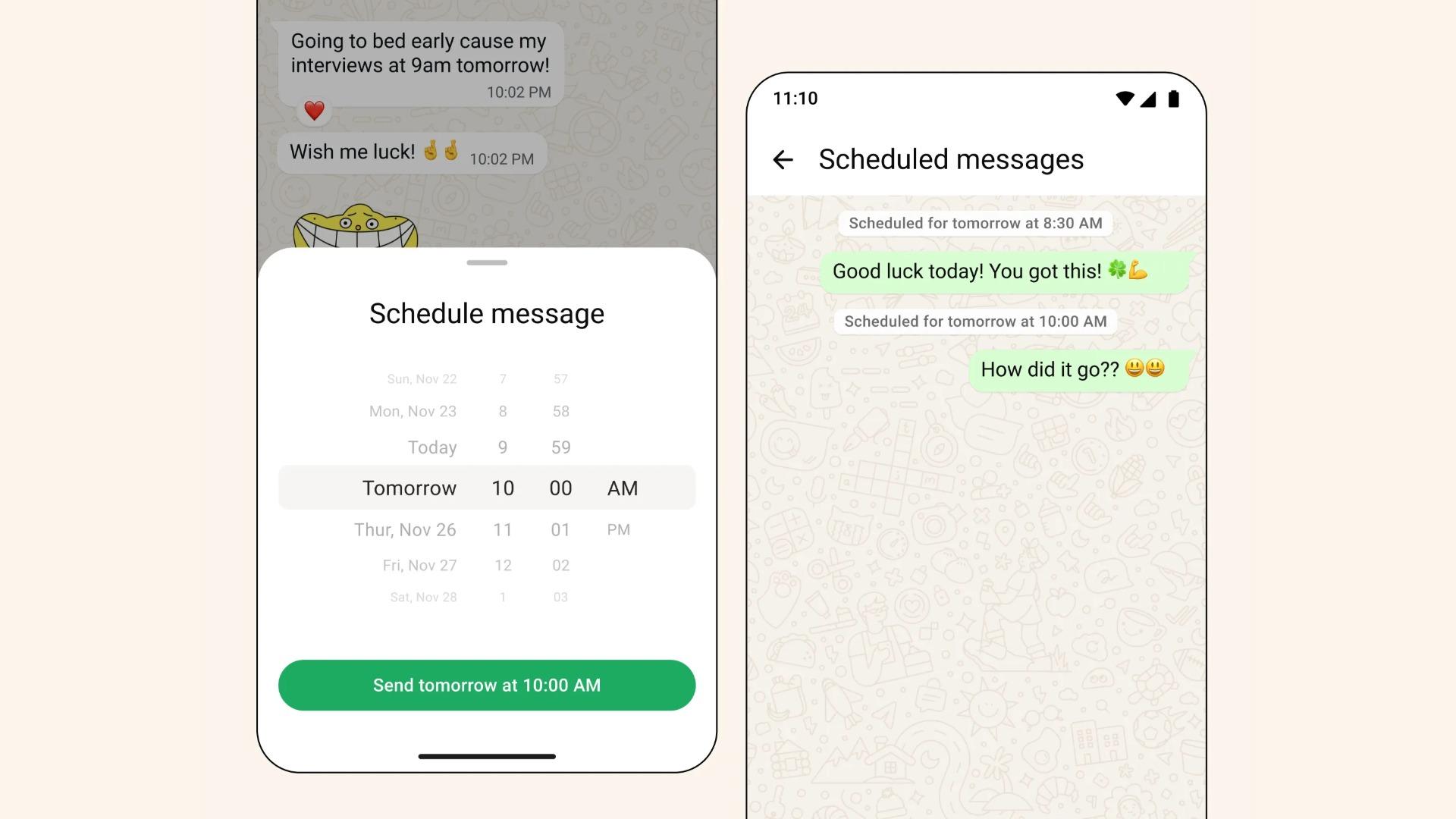
You remember a birthday wish at 11 PM and want it to land at midnight, or you think of an exam good-luck message late at night and do not want to wake anyone up. WhatsApp has finally solved that problem. On November 25, 2026, WhatsApp rolled out scheduled messages, one of its most requested features, letting 3 billion users write a message now and send it anywhere from 10 minutes to 14 days later. Here is how the feature works, the exact steps to use it on Android and iPhone, and the limits you should know.
What WhatsApp Scheduled Messages Can Do
The feature is simple to describe and exactly what people have been asking for. You draft a message when you think of it, pick a date and time, and WhatsApp sends it later automatically.
- Works in both chat types: one-to-one conversations and group chats
- Flexible timing: schedule anything from 10 minutes to 14 days (two weeks) in advance
- All media types: text, photos, and videos can all be scheduled
- Sends even if your phone is off: the message still arrives at the chosen time even if your phone is out of battery or switched off
- End-to-end encrypted: like all personal messages on the platform, scheduled messages are encrypted so nobody else can read them, not even WhatsApp
- Looks normal to the receiver: it arrives like any other message at the time you picked
Meta says the feature is rolling out globally over the coming weeks, so it may take a few days to appear on your account even after you update the app.
How to Schedule a WhatsApp Message
The flow is the same on Android and iPhone once your app has the feature:
- Open the chat where you want the message delivered. This works in group chats too
- Type your message as usual. You can attach a photo or video as well
- Press and hold the send button instead of tapping it
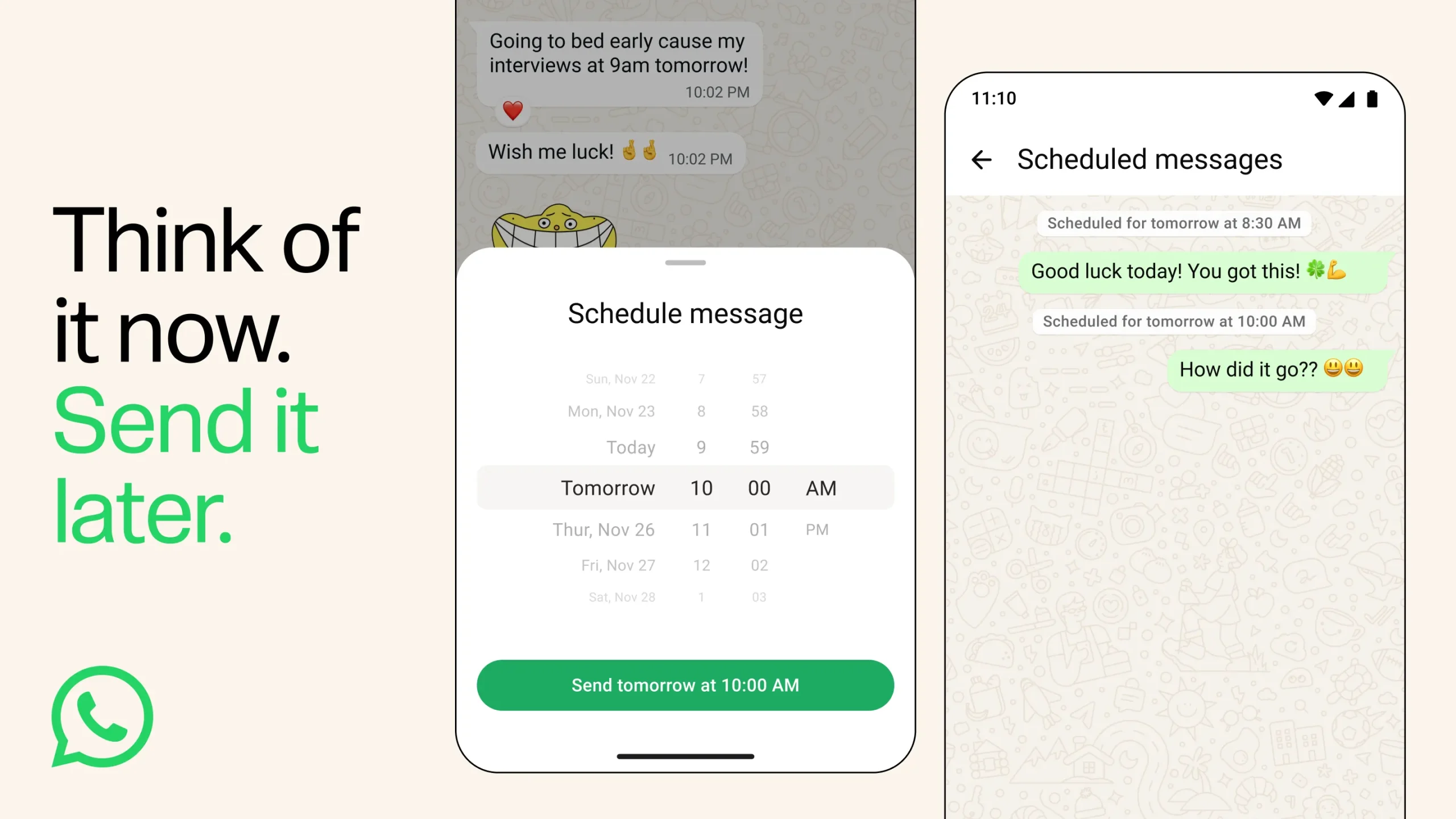
- A date and time picker appears. Choose when the message should arrive. You can schedule anywhere from 10 minutes to 14 days ahead
- Confirm the schedule. The message moves into your scheduled list and goes out at the chosen time
To see everything you have lined up, open the scheduled messages list for that chat. If you change your mind, you can delete a scheduled message before it sends. Editing a scheduled message before it goes out is also possible from the same list.
Rules and Limits to Keep in Mind
Before you plan a two-week campaign of midnight birthday wishes, a few limits matter:
- The 10-minute minimum: you cannot schedule a message for one minute from now. The nearest send time is 10 minutes out
- The 14-day maximum: the far end of the window is two weeks. Anything beyond that needs to be scheduled closer to the date
- Time zone behaviour: the send time follows the schedule you set from your device, so double-check before setting a midnight message for a friend in another country
- The message sends regardless of your phone state: once scheduled, delivery happens even if your phone is off, which also means it will go out even if you have changed your mind, so remember to delete it in time
- Rolling out in phases: if you do not see the option after pressing and holding the send button, update WhatsApp from the Play Store or App Store and wait for the rollout to reach your account
Why This Feature Matters for Groups
Group chats are where scheduling quietly becomes powerful. A team lead can write the morning reminder at night without pinging everyone at odd hours. A college group admin can set the exam-day message to land at 7 AM. A family group can have the birthday message queued at midnight. Because scheduled messages work identically in groups and personal chats, none of this needs a third-party app or an automation tool, which is good news for account safety since unofficial tools can get numbers banned.
Scheduled Messages vs Third-Party Automation Tools
For years, people who wanted delayed sending on WhatsApp had to rely on unofficial tricks: automation apps that tap the screen, business tools, or modified WhatsApp versions. None of those were safe. Modified clients violate WhatsApp’s terms and can get numbers banned, and accessibility-based automation tools need deep device permissions that are risky to grant. The official feature removes all of that friction. Scheduling now happens inside the app, stays end-to-end encrypted, and needs no extra permissions or companion apps. For businesses that run customer updates through the WhatsApp Business app, the same native approach is the only reliable one.
Tips: Getting the Most Out of Scheduled Messages
- Use it for reminders, not just greetings. “Pay the bill tomorrow morning” scheduled for 9 AM beats relying on your memory
- Check the scheduled list before sleeping. Since messages send even when your phone is off, the only way to stop one is to delete it before the time
- Pair it with WhatsApp’s other new feature. The platform also started rolling out stickers with sound this week, so your scheduled birthday message can carry an animated sticker with audio
- Keep the two-week window in mind for planning. Anything further out than 14 days has to wait for the window to open
- Update both apps for group use. For group scheduling to look right for everyone, members should also be on recent versions
FAQ
How do I schedule a message on WhatsApp?
Type your message, then press and hold the send button. A date and time picker opens. Choose when the message should arrive, anywhere from 10 minutes to 14 days later, and confirm. The message goes out at that time automatically.
Can I schedule WhatsApp messages in group chats?
Yes. Scheduled messages work in both one-to-one chats and group chats, with the same 10-minute to 14-day window and the same press-and-hold gesture.
Do scheduled messages send if my phone is off?
Yes. WhatsApp confirms that a scheduled message still arrives at the chosen time even if your phone is switched off or out of battery. If you want to cancel one, delete it from the scheduled list before the send time.
How far in advance can I schedule a WhatsApp message?
You can schedule a message up to 14 days (two weeks) in advance, and no sooner than 10 minutes ahead. The feature is rolling out globally over the coming weeks, so it may take a few days to appear on your account.
