



If your business emails to outlook.com, hotmail.com, live.com or msn.com addresses have started bouncing this month, you are not imagining it. Since 5 November 2026, Microsoft’s consumer mail services have been turning away some messages from domains that do not publish a DMARC record. Nobody at Microsoft announced it, and the bounce only hits part of the mail, which makes it very easy to miss. The fix is a single DNS record, and this guide shows you how to check and repair your domain in minutes.
What Changed at Outlook.com
Microsoft has had sender rules for bulk mail since May 2025. Domains sending more than 5,000 messages a day to Outlook.com have had to pass SPF, DKIM and DMARC or face a 550 5.7.515 rejection. Most small businesses rightly assumed those rules were about marketers.
The rejection that started on 5 November is different in ways that matter:
- It reaches small senders. A one-line reply from a small office can bounce.
- It was not announced. As of 6 November, there was no postmaster notice, no blog post and no service health entry from Microsoft about it.
- It does not explain what failed. The 5.7.515 error lists the SPF, DKIM and DMARC results. This new one just says records are missing.
Mail administrators first saw these bounces in their outbound logs on 5 November, and public reports from other admins appeared the same day. The targets are the consumer domains Microsoft runs: outlook.com, hotmail.com, live.com and msn.com.
The Bounce Message Explained
Affected senders get a rejection like this one, with a server name and ID that change per message:
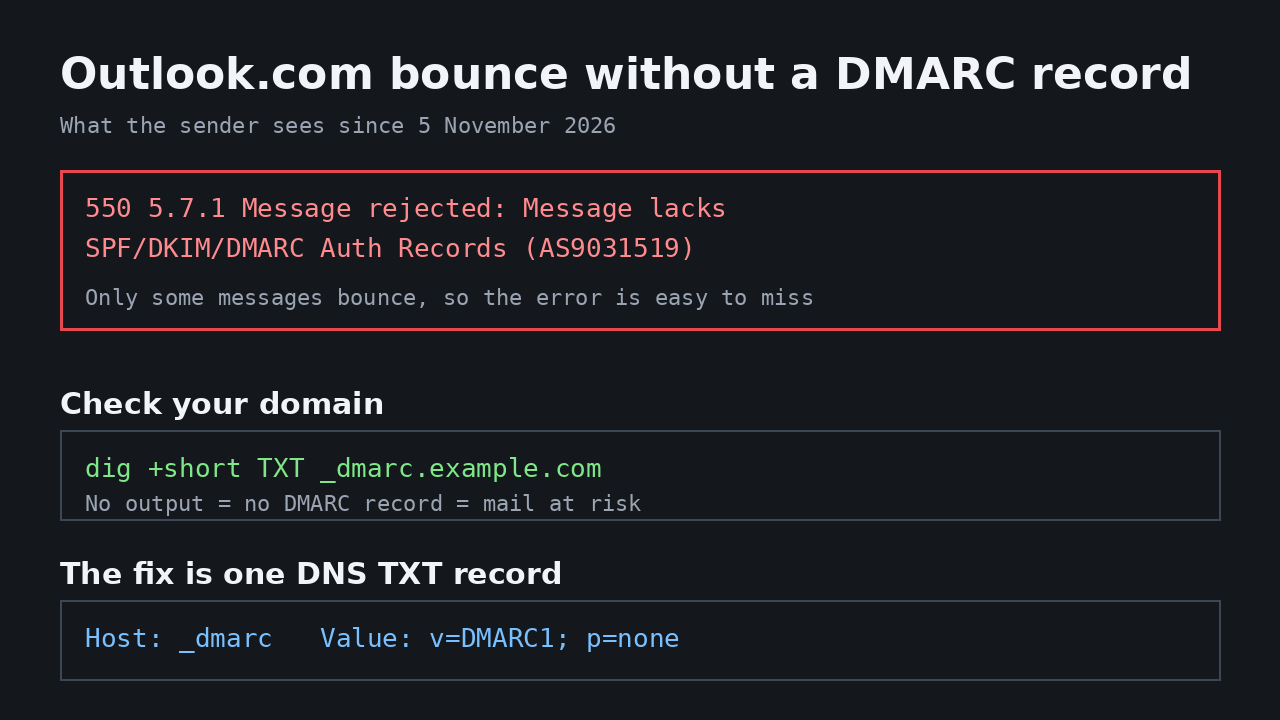
550 5.7.1 Message rejected: Message lacks SPF/DKIM/DMARC Auth Records (AS9031519)
On the first day the same rejection appeared without the code at the end. The wording suggests something is badly broken with your mail setup. Usually it is not. The domains that have been bounced mostly had working SPF, and many had DKIM as well. What they were missing was the DMARC record that ties those checks to the domain in the From address.
The worst part is the inconsistency. Microsoft refuses only some messages from an affected domain. One message to a Hotmail address goes through, the next one bounces, and a resend may succeed. The sender sees a bounce full of acronyms, assumes a glitch, and moves on. The customer never knows a message was sent. For businesses that email patients, homeowners, applicants or members, the cost is quiet: invoices that do not arrive and replies that look like they were ignored.

How to Check if Your Domain Is Affected
Your domain is exposed if it has no DMARC record. You can check in a few seconds from any terminal. Replace example.com with your domain:
dig +short TXT _dmarc.example.com
- A line starting with
"v=DMARC1means you have a record and you are safe from this particular rejection. - No output means you do not have one, and your mail to Outlook.com users is at risk.
You can also use an online DMARC checker if you do not have terminal access. The result is the same: a published TXT record at _dmarc.yourdomain.com, or nothing.
The Fix Is One DNS Record
Add a TXT record at your DNS host with these values:
- Name:
_dmarc - Value:
v=DMARC1; p=none
The p=none policy is the safe starting point. It declares that your domain uses DMARC and asks receivers to send you reports, but it tells them to take no action on failures. Nothing about how Gmail, Yahoo or any other provider treats your mail changes. It simply stops the Outlook.com rejection.
There is one condition to understand. DMARC passes only when SPF or DKIM passes for the domain in your From address. If neither lines up, the DMARC record alone will not help. This is where most setups go wrong, and it is especially common with Microsoft 365: it signs mail with its own onmicrosoft.com domain until you turn on DKIM for your own domain, and that signature does not count toward DMARC. Turn on DKIM for your real domain first if you use Microsoft 365.
How SPF, DKIM and DMARC Work Together
Most email deliverability problems come from mixing up the three authentication records. Each one answers a different question:
- SPF lists which mail servers are allowed to send on behalf of your domain. It checks the envelope sender.
- DKIM attaches a cryptographic signature to the message so receivers can confirm it was not altered in transit.
- DMARC ties the results to the visible From address. It tells receivers what to do when SPF or DKIM do not line up with the domain your recipient actually sees.
The Outlook.com rejection targets the third piece. Your mail can pass SPF and DKIM and still bounce if no DMARC record exists to connect those passes to your domain.
From p=none to p=reject: the Full Path
Adding the starter record solves the immediate bounce, but DMARC is designed to grow stricter over time:
- Start with p=none and add a reporting address, for example
v=DMARC1; p=none; rua=mailto:[email protected]. Receivers then send daily aggregate reports showing what passed and what failed. - Fix alignment issues revealed by the reports. The usual suspects are marketing tools, ticketing systems and invoice platforms that send with their own domains.
- Move to p=quarantine once the reports are clean, which sends failing mail to spam instead of the inbox.
- Finish at p=reject to block forged mail entirely. This is the policy that actively stops spammers from using your domain in phishing runs.
Tips
- Send test messages to all four consumer domains. outlook.com, hotmail.com, live.com and msn.com are all affected, so test each one.
- Check your bounce logs for the last week. Because only some messages are refused, the bounce may already be sitting in your outbox reports.
- Start at p=none and move up later. Once reports show everything passing, you can raise the policy to p=reject, which actively blocks spammers who forge your domain.
- Verify alignment, not just existence. SPF and DKIM must cover the domain your mail actually shows in the From field, including for CRM tools and ticketing systems that send on your behalf.
- Do this before your next campaign. Newsletters and invoices go to personal addresses more often than businesses expect, and that is exactly where this rejection bites.
- Keep the record even after the bounce stops. DMARC protects your domain from spoofing long after Microsoft’s enforcement changes.
- Re-check after changing email providers. Moving between Google Workspace, Microsoft 365 or a local host usually breaks alignment somewhere.
This is also part of a wider pattern. Gmail and Yahoo introduced their own authentication requirements for bulk senders in 2024, and providers have been tightening enforcement ever since. Microsoft’s silent rollout is simply the newest step, and it shows where the floor is heading: authenticated mail for everyone, not just marketers.
FAQ
Why is Outlook.com rejecting my emails?
Since 5 November 2026, Microsoft’s consumer mail services refuse some messages from domains that publish no DMARC record, even when SPF and DKIM are set up. The bounce reads “550 5.7.1 Message rejected: Message lacks SPF/DKIM/DMARC Auth Records”.
How do I add a DMARC record for my domain?
Go to your DNS host and add a TXT record named _dmarc with the value v=DMARC1; p=none. Wait for DNS propagation, then run dig +short TXT _dmarc.yourdomain.com to confirm it is live.
Do I need DMARC if my SPF and DKIM already work?
Yes. SPF and DKIM sign your mail, but DMARC tells receivers that the signature must match your From domain. Without the DMARC record, Outlook.com now rejects part of your mail regardless.
What does p=none mean in a DMARC record?
p=none tells receivers to monitor and report failures but not act on them. It is the safest first step and enough to stop the new Outlook.com rejection, while you collect reports before moving to a stricter policy.
