




For more than 12 hours on Thursday, a large part of Microsoft’s cloud simply stopped working. Outlook went dark, Teams calls dropped, files locked people out, and the trouble spread to more than 74 countries before engineers got a handle on it. Microsoft says no cyberattack was involved. The company’s own servers stopped talking to each other, and the cleanup is still running.
What Went Down and When
The problems started on Thursday and were first flagged as affecting services in the US and the Americas. They spread worldwide within hours as engineers struggled to recover failing servers in Microsoft’s data centres. What began as an Outlook email and Teams video conferencing outage grew into a full meltdown across the company’s cloud.
The list of affected services is long:
- Outlook email (consumer and business)
- Microsoft Teams
- Microsoft 365 for Business and Enterprise
- Azure
- OneDrive and OneNote
- Microsoft To Do
- Copilot AI tools
- Defender security screening
- Intune admin dashboards
- Cloud-based Windows PCs for some users
As of Friday morning on the US East Coast, Outlook had begun to recover and emails were trickling back in. Analysts at Kentik, which monitors internet traffic, put the total downtime at roughly 18 hours before traffic returned to Microsoft’s services.
Microsoft’s Explanation
Microsoft has been careful with its wording. The company said the outage involved “a large number of servers being unexpectedly unavailable” and that it continues to investigate the cause. Early statements described servers as overloaded, with some machines not communicating properly. Fixes included adding server capacity and repairing the affected machines.
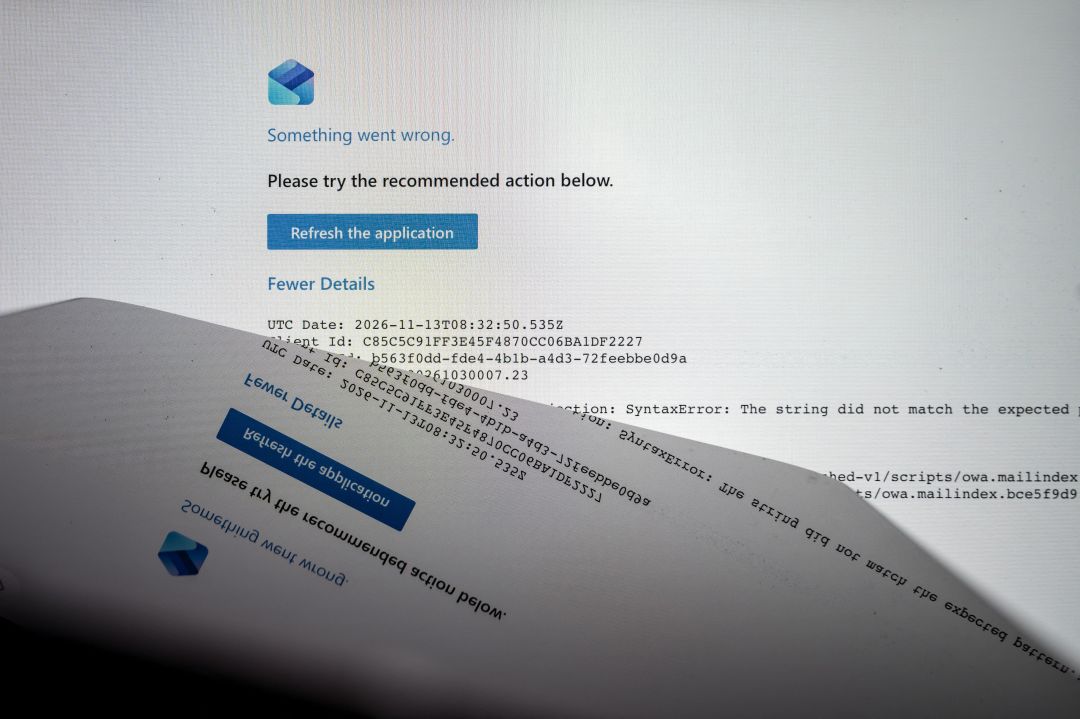
On the question everyone asked first, Microsoft was explicit: there is “no evidence of malicious activity associated with this incident,” and the outage was “not related to cyber or AI/agents.” Reports indicate the trigger was a failed server health check rather than an attack, the kind of internal automation failure that cascades when monitoring systems themselves misbehave.
Charles Lamanna, Microsoft’s executive vice president for Copilot, agents and platform, gave the recovery update: “We’re seeing encouraging recovery progress, with service availability and email delivery performance improving across a growing portion of affected infrastructure.”
The Fallout
An outage of this scale does not stay inside IT departments. Users in more than 74 countries were affected, including city governments worldwide. The UK’s National Health Service warned that some patients could be prevented from getting their prescriptions while systems were down.
Other consequences reported so far:
- Microsoft Advertising warned advertisers that the Outlook outage may have affected campaign spend and reporting.
- System administrators could not reach Intune dashboards to manage devices.
- Defender security screening was disrupted, leaving gaps in email filtering.
- Industry watchers said the incident may be worse than the recent Amazon and CrowdStrike outages in reach, given how much daily work runs through Microsoft 365.
For Microsoft, the awkward part is not the failure itself but the recovery time. Engineers initially could not find what was causing servers to fail, and the company is likely to face questions about why its own recovery tooling took close to a day to restore services it built itself. The company’s status updates also lagged behind what users were already reporting publicly for several hours.
One detail worth keeping an eye on: Microsoft has not confirmed whether it can fully audit the event. When asked whether the company has the logs needed to detect malicious activity and trace exactly what happened, a spokesperson did not respond. For security teams that rely on Defender and Intune, that silence matters as much as the outage itself. Ask your security vendor for a written incident summary before the quarterly review, not after it.
What This Means for Cloud Users
This outage is a reminder that “the cloud” is still someone else’s computer, and that concentration risk is real. When one provider’s control plane breaks, email, chat, files, identity and security tooling can go down together, because they share the same foundation.
It is also a reminder that outages have a long tail. Even after services come back, delayed emails, rescheduled meetings and backlog in support queues keep IT teams busy for days. Budget for that recovery work when you plan the week after any major incident.
Practical lessons for IT teams and small businesses:
- Keep a fallback for email and chat. A secondary channel, even a WhatsApp or Telegram group for key staff, keeps coordination alive during outages.
- Watch your identity layer. Sign-in, device management and security filtering can fail together with mail. Know how to operate for a day without them.
- Track status pages and third-party monitors. Microsoft’s status updates lagged behind user reports for hours. Independent monitors such as Kentik and Downdetector signalled the scope earlier.
- Check your billing and ads. If you run Microsoft Advertising campaigns, review spend and delivery data for the outage window, as the company itself advised.
- Document the incident window. Outages that hit reporting and analytics need written annotations so later comparisons stay honest. Keep the note for as long as your data retention runs.
A Rough Timeline of the Outage
- Thursday: Outlook and Teams problems first reported, initially scoped to the US and the Americas.
- Thursday evening: the disruption spreads worldwide as servers fail across data centres. Copilot, Defender and Intune drop out.
- Thursday night: Microsoft says “a large number of servers” are unexpectedly unavailable. Engineers cannot immediately find the cause.
- Friday morning (US East Coast): Outlook begins recovering, emails start arriving, and Kentik reports traffic returning after roughly 18 hours of downtime.
- Friday: Microsoft states there is no evidence of malicious activity and that the incident is not related to cyber or AI agents.
How This Compares to Other Big Outages
Industry watchers were quick to place this incident next to the Amazon and CrowdStrike outages of recent years, with one expert arguing the Microsoft episode may be worse. The reason is concentration. Microsoft 365 sits under email, chat, documents, identity, device management and security filtering for a huge share of global businesses, so a single failure surface takes all of them down at once.
CrowdStrike’s 2024 outage was sharper but narrower, hitting Windows endpoints through a bad update. Amazon outages tend to knock out specific regions or services. This Microsoft incident was broader in service surface and unusually slow to recover, which is what pushed it into “worse than” comparisons.
Quick Takeaway
- Microsoft 365, Outlook, Teams, Azure and related services went down for roughly 18 hours, affecting users in over 74 countries.
- Microsoft blames server availability and failed health checks, not hackers or AI agents.
- Recovery was slow because engineers could not initially find the failing component.
- Healthcare, government and advertisers all felt the impact beyond lost email.
- Every business that runs on Microsoft 365 should keep one independent fallback channel for critical communication.
FAQ
What caused the Microsoft 365 outage in November 2026?
Microsoft says the outage was caused by a large number of servers becoming unexpectedly unavailable, with reports pointing to failed server health checks. The company states there is no evidence of malicious activity and that the incident was not related to cyberattacks or AI agents.
Which Microsoft services were down?
Outlook, Teams, Microsoft 365 for Business and Enterprise, Azure, OneDrive, OneNote, Microsoft To Do, Copilot tools, Defender security screening and Intune dashboards were all affected, along with cloud-based Windows PCs for some users.
How long did the Microsoft outage last?
Services were disrupted for more than 12 hours, with internet analysis firm Kentik putting full downtime at about 18 hours before traffic returned to normal. Outlook began recovering on Friday morning US time.
Was any data lost during the outage?
No data loss has been reported so far. The problem was service availability rather than storage, and emails and files were delivered once systems recovered. Check your own mailbox and sync status to be sure nothing is stuck.
