



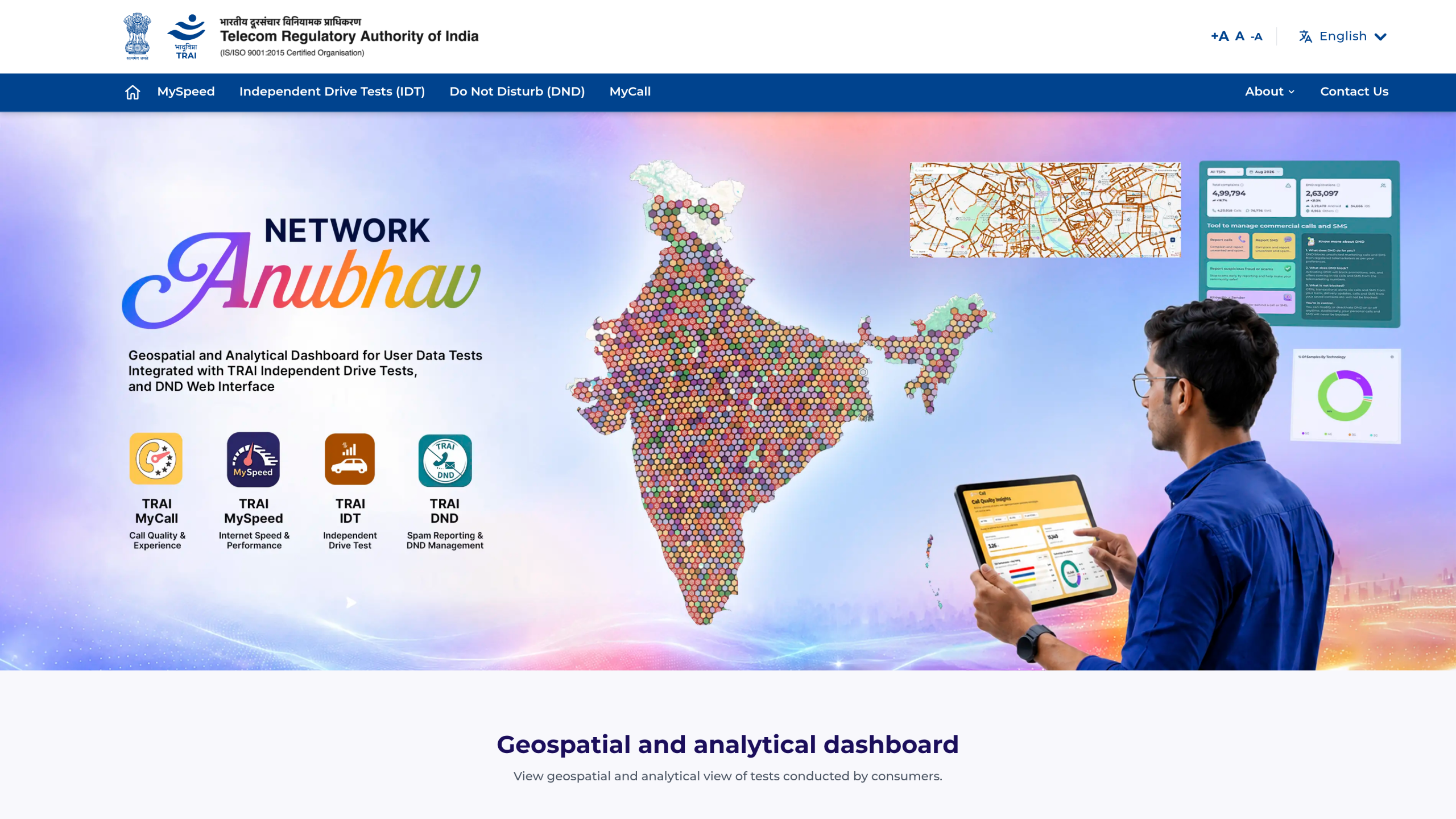
The Telecom Regulatory Authority of India has launched the Network Anubhav Platform, a geospatial and analytical dashboard that puts network test data in the hands of consumers, telecom operators and the regulator itself. Announced on 4 November 2026 through TRAI press release number 149, the platform brings together test results from TRAI’s MySpeed and MyCall apps with independent drive test data, and adds a web interface for Do Not Disturb services. The portal is live at anubhav.trai.gov.in.
What Is the Network Anubhav Platform
Network Anubhav is built around user test data, meaning results uploaded by consumers through the MySpeed and MyCall apps, along with independent drive tests conducted by TRAI itself. The platform displays this data on geo-spatial maps so that anyone can see how networks perform at specific locations instead of relying only on national averages. Download speed, upload speed, call quality and coverage are presented service provider wise and technology wise, so a Jio user in Jaipur can compare notes with an Airtel user in the same area, and fixed broadband lines can be checked against mobile connections.
Key Features of the Geo-Spatial Maps
Consumers can navigate and zoom the map to examine where test observations come from, switch between cellular and fixed broadband results, and use filters, legends, supporting tables and downloadable reports to read the data. The platform reports percentile values for speeds, and the definitions matter:
- P50 (median speed): half of the tests in an area recorded a speed at or above this value.
- P80 (mobile broadband): 80 percent of tests recorded a speed at or above this value.
- P90 (fixed broadband): 90 percent of tests recorded a speed at or above this value.
TRAI notes that these user-test figures are not a comprehensive assessment of network quality based on standard methodology. They do, however, show what other users are experiencing at a given location, and the maps also plot results from TRAI’s independent drive tests for a geospatial view of measured performance.
What Consumers Can Do
Consumers can report spam, test internet speeds, and view aggregated results from TRAI apps, the web interface and independent drive tests on one dashboard. Location-specific results from other users are open to browse, which helps when deciding which operator works best in your area. TRAI has encouraged users to contribute regularly through the MySpeed and MyCall apps, since wider participation improves the coverage and usefulness of the platform’s information.
Insights for Telecom Operators and TRAI
Telecom service providers get access through a secure interface where they can view call quality, coverage and internet test data shared by consumers. Along with location, date, time and technical parameter values, operators can pinpoint geographic locations that need attention and use the findings for network improvement. TRAI itself will use the aggregated insights for evidence-based monitoring of consumer experience and for improving network performance across the sector.
MySpeed SDK and DND Services
TRAI also announced the MySpeed SDK, which lets eligible third-party apps integrate connectivity measurement capabilities. As more apps embed the SDK, the volume of real-world measurements feeding Network Anubhav will grow. On top of that, Do Not Disturb services now have a web interface through the Anubhav portal. Consumers can set commercial communication preferences, file complaints about unsolicited commercial communication, track complaint status, and view consolidated and service-provider-wise complaint information.
Speaking at the launch, TRAI Chairman Shri Anil Kumar Lahoti said the platform “brings greater transparency to observed network tests conducted by Consumers and TRAI” and “empowers consumers to analyse location and service provider specific tests, enables TSPs to identify areas for network optimisation and strengthens TRAI’s efforts for network improvement.”
How to Access the Platform
The Network Anubhav portal is available at anubhav.trai.gov.in with dedicated sections for MySpeed, Independent Drive Tests, DND and MyCall. MySpeed runs on Android, iOS and the web, MyCall is available for Android, and the DND app is on both Android and iOS. For additional queries, TRAI has shared the contact Ms. Archna Ahlawat, Advisor (IT), at [email protected].
FAQ
What is the TRAI Network Anubhav platform?
It is a geospatial and analytical dashboard launched by TRAI on 4 November 2026 that shows network test data from the MySpeed and MyCall apps, TRAI independent drive tests, and provides a web interface for DND services.
How do I check network speed on Network Anubhav?
Visit anubhav.trai.gov.in, open the MySpeed dashboard, and explore test results by location, operator and technology. You can also run your own speed test through the MySpeed app or the web tester.
What do P50, P80 and P90 mean on the Anubhav maps?
They are percentile speed values. P50 is the median speed, P80 means 80 percent of mobile broadband tests were at or above that speed, and P90 means 90 percent of fixed broadband tests were at or above it.
Can I report spam calls on the Anubhav portal?
Yes. The portal includes the DND web interface where you can report spam calls and SMSs, manage commercial communication preferences, and track complaint status.
Does Network Anubhav show real network quality ratings?
The data comes from consumer tests and TRAI drive tests. TRAI states that user-test values are not a comprehensive assessment of network quality, but they give a useful picture of what other users experience at specific locations.
